 EDIT
EDIT 3Edit Presenter
Turn your script into an AI presenter video.
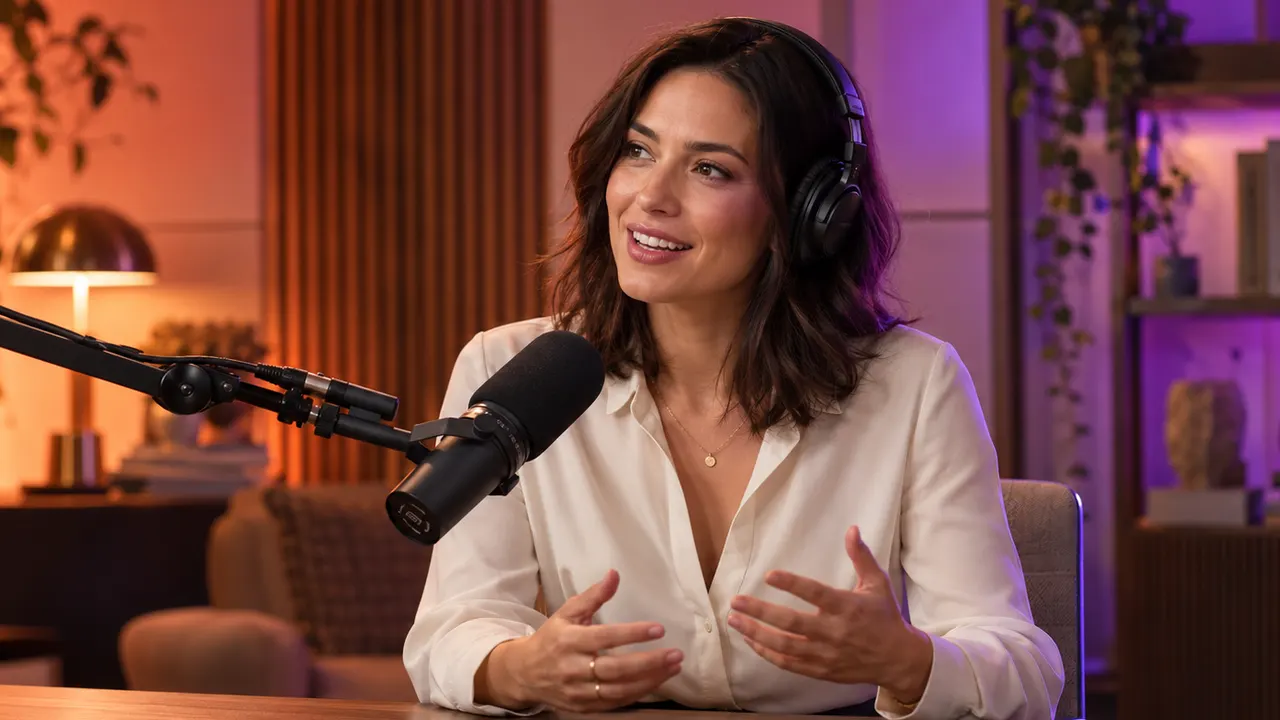
Pick a presenter, add your script or your own recording, and 3Edit makes a talking head video with natural lip sync, up to 60 minutes long. Every video lands in your 3Edit Library.
On this page
Choose your presenter.
- A gallery actor. Pick an actor from the gallery, ready to go.
- Your own picture. A PNG, JPEG or WebP of one clear, front-facing person.
- Your presenters. Reuse and rename the presenters you have saved.
- Your own loop. Upload a moving loop video as an MP4 of up to 30 MB.


 Loop
LoopA natural moving loop.
A new presenter picture becomes a natural moving loop: eye contact with the camera, a calm, friendly expression, gentle head and shoulder movement, hands below chest level, and a still camera: your AI spokesperson, ready to speak your script.
Text to video, with a voice you approve.
- Hear it first. For a typed script, 3Edit first makes the voice for you to listen to.
- Change the words. Edit the script and remake the voice until it sounds right.
- Make video. Press Make video for one MP4 presenter video.
- Or bring your recording. Your own recording goes straight to video.
Thousands of voices, or your own.
Choose 3Edit Voice, Pro Voice or My recording. The voice picker offers many languages and accents, with thousands of Pro voices, the same as in 3Edit Voice & Music.
Your own recording can be in a common audio format, up to 10 minutes and 32 MB.
Standard or Precise lip sync.
Precise lip sync is the default. It takes more time to make: the app estimates about 10 minutes of processing for each minute of video. Standard lip sync is there when you need the video sooner.
Long-form AI video, up to 60 minutes.
Scripted videos can be up to 60 minutes long, from scripts of up to 54,000 characters. Presenter makes them in parts and joins them into one video, ready for courses, explainers and product walkthroughs.
How to make an AI avatar video from a script.
Five steps from your script to a finished presenter video.
- 1Open PresenterOpen 3Edit Presenter in the 3Edit desktop app.
- 2Choose your presenterPick an actor from the gallery, use your own picture of one clear, front-facing person, choose one of your saved presenters, or upload your own moving loop video.
- 3Add your script or recordingType your script and listen to the voice 3Edit makes first; edit the words and remake the voice if you like. Or use your own recording, which goes straight to video.
- 4Make videoChoose Precise lip sync, the default, or Standard, then press Make video.
- 5Use the videoDownload your MP4 presenter video, use it in a Studio video, or upscale it.
Straight into your videos.
Every presenter video goes into your shared 3Edit Library. Download it, use it in a Studio video, or upscale it.
Library pictures, videos and audio can supply the presenter, the loop or the recording, and Cinema clips can become a presenter loop.
Your presenter videos are yours to use commercially in videos, ads, websites and posts. Please only upload pictures, videos and recordings that are your own or that you have permission to use.
 Use in video
 Upscale
Coming soon: Lifelike.
Coming soon
A Lifelike presenter with more natural movement and expression, made for long videos.
Pay per minute for what is made.
Presenter is included in every 3Edit plan, with plans from £7.99 a month. A new presenter is prepared once for 4 credits; a gallery actor or a saved presenter skips this. The voice is charged per part, and lip sync per started minute.
Failed lip sync is not charged, and steps already finished keep their charge. Presenter uses credits even when you build websites with your own paid Claude plan or your ChatGPT plan, or with 3Edit Node.
How 3Edit Presenter compares.
No separate presenter subscription, because Presenter is part of your 3Edit plan.
| Feature | 3Edit Presenter | HeyGen | Synthesia |
|---|---|---|---|
| Price | Included in every 3Edit plan, from £7.99 a month. Videos use credits. | Creator: $29 a month | Starter: about $18 a month billed yearly, or $29 monthly |
| Free use | 7-day free trial, no card needed | Free plan: 3 videos a month, up to 1 minute each | Free Basic plan: about 10 minutes of video a month |
What 3Edit Presenter includes
- Videos up to 60 minutes in one go
- Your own picture, your own loop or your own voice recording
- Pay per minute for what is made
- Results go straight into your Studio videos and the shared Library
- Your website and shop are in the same app
Based on each company’s public website, October 2026. Prices show the lowest paid monthly plan; other tools are priced in US dollars. Product names belong to their owners. Sources: HeyGen pricing, Synthesia pricing.
Presenter questions
Everything you want to know about making presenter videos with 3Edit Presenter. Can’t find your answer? Email us at info@3edit.org.
Last updated
Getting started
It makes a talking-presenter video from a script. It is an AI presenter video maker inside the 3Edit desktop app.
Yes. Presenter is included in every 3Edit plan, with plans from £7.99 a month. Each video uses credits.
No. The work runs on 3Edit’s engines, so you need no powerful computer.
One MP4 presenter video.
Your presenter
Pick an actor from the gallery, use your own picture, use a saved presenter from “Your presenters”, or upload your own moving loop video.
Yes. Use a PNG, JPEG or WebP picture of one clear, front-facing person.
A new presenter picture becomes a natural moving loop: eye contact with the camera, a calm, friendly expression, gentle head and shoulder movement, hands below chest level, and a still camera.
Yes. Upload your own moving loop as an MP4 of up to 30 MB.
Yes. Saved presenters in “Your presenters” can be reused and renamed, and a saved presenter needs no new preparation.
Yes. Cinema clips can become a presenter loop.
Script and voice
Scripted videos can be up to 60 minutes. Long videos are made in parts and joined into one video.
Up to 54,000 characters.
Yes. For a typed script, 3Edit first makes the voice for you to listen to. You can edit the words and remake the voice, then press Make video.
3Edit Voice, Pro Voice or your own recording. The voice picker offers many languages and accents, with thousands of Pro voices, the same as in 3Edit Voice & Music.
Yes. Upload a recording in a common audio format, up to 10 minutes and 32 MB. It goes straight to video, with no voice charge.
Lip sync
Standard or Precise. Precise is the default.
Precise takes longer to make. The app estimates about 10 minutes of processing for each minute of video.
Coming soon: a Lifelike presenter with more natural movement and expression for long videos.
Using your videos
Every presenter video goes into your shared 3Edit Library, with Download, Use in video and Upscale.
Yes. Choose Use in video to use it in a Studio video.
Yes. Choose Upscale on the video to upscale it with 3Edit Upscaler.
Yes. Library pictures, videos and audio can supply the presenter, the loop or the recording.
Your presenter videos are yours to use commercially in videos, ads, websites and posts. Please only upload pictures, videos and recordings that are your own or that you have permission to use.
Pricing
4 credits, once. A ready actor from the gallery or a saved presenter skips this step.
3Edit Voice is 1 credit per part of up to 5,000 characters. Pro Voice is 2 credits per part of up to 2,500 characters, and 3 credits for 2,501 to 5,000. Your own recording has no voice charge.
Standard lip sync is 1 credit per started minute, and Precise is 2 credits per started minute.
Failed lip sync is not charged. Steps already finished keep their charge.
No. Presenter uses credits even when you build websites with your own paid Claude plan or your ChatGPT plan, or with 3Edit Node.
Presenter makes videos up to 60 minutes in one go, with your own picture, your own loop or your own voice recording. You pay per minute for what is made, and every video goes straight into your Studio videos and the shared Library, in the same app as your website and shop.
Start vibe coding today.
Download 3Edit for Mac or Windows and build your first professional website in minutes.