 EDIT
EDIT Guide 2 of 9
Choose the Ecommerce starter kit.
Start your store from the Ecommerce starter kit: shop pages, cart, checkout, customer accounts and a full store admin, ready in minutes.
About 5 minutesLast updated
On this page
Open the Web Builder
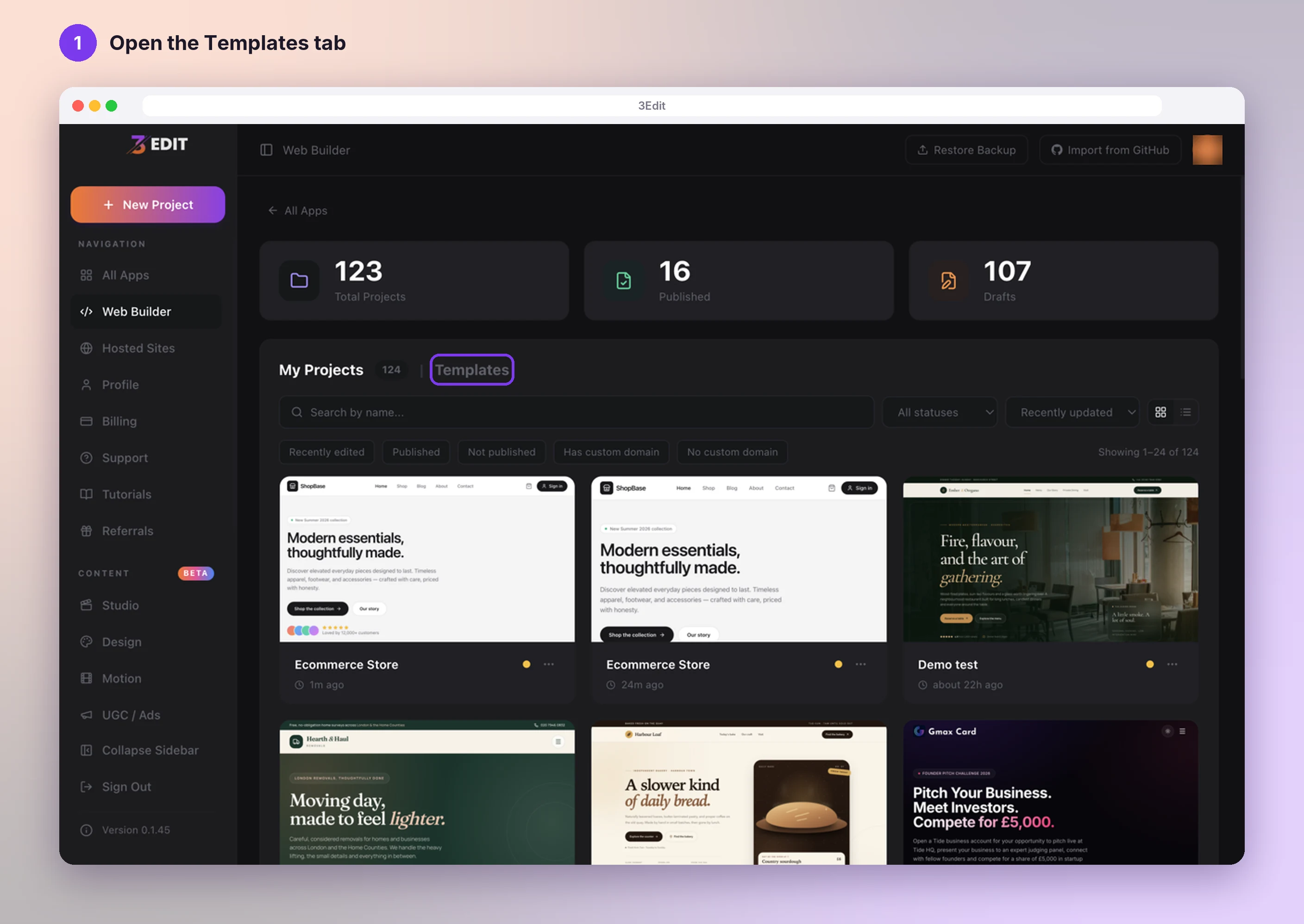
On your 3Edit home, click the Web Builder tile, or Web Builder in the left sidebar. It has two tabs: My Projects and Templates. Click Templates.
Choose Ecommerce Store
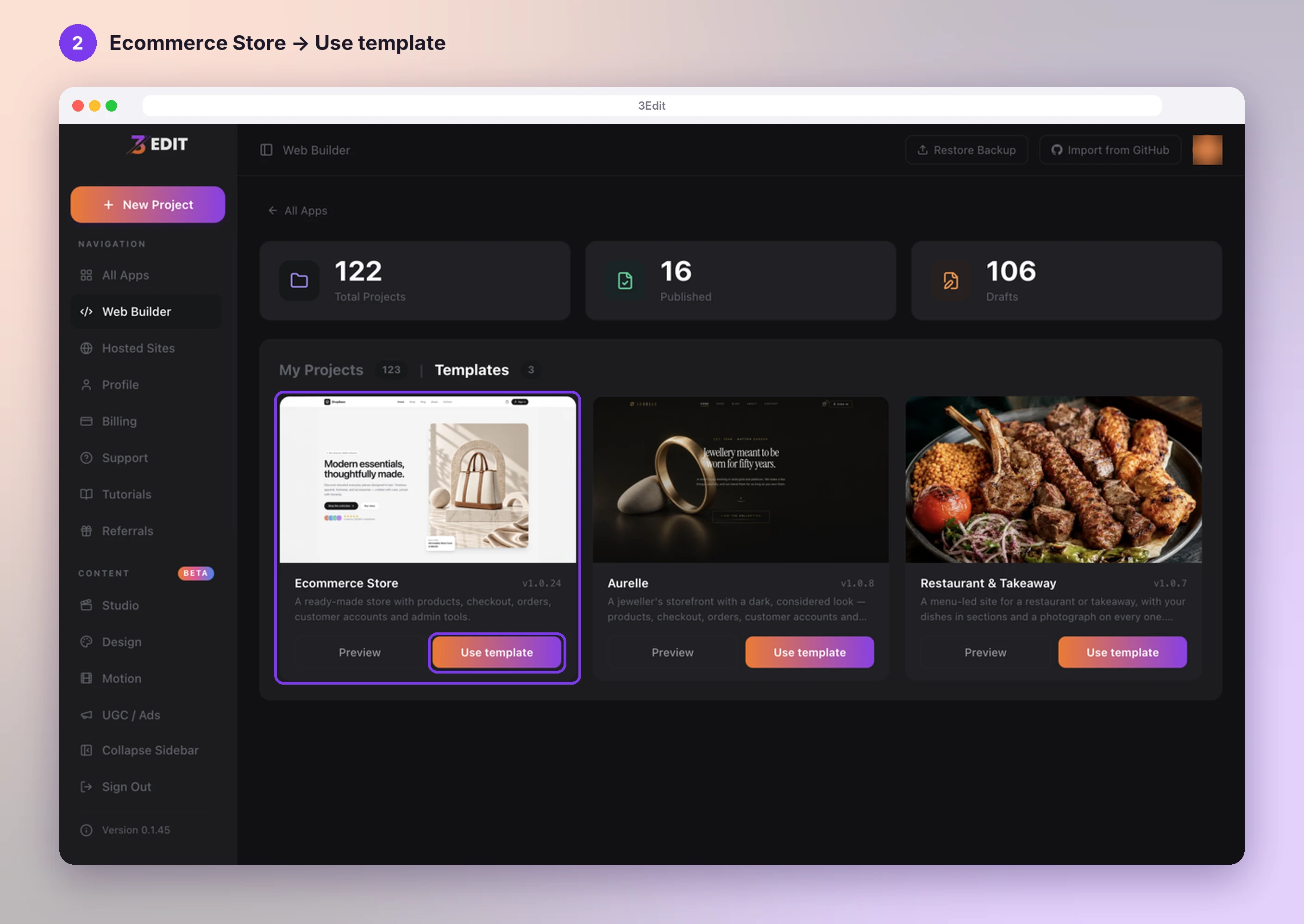
Find Ecommerce Store: a ready-made store with products, checkout, orders, customer accounts and admin tools. Press Preview to have a look around first, or Use template to start your own.
Let 3Edit prepare your store
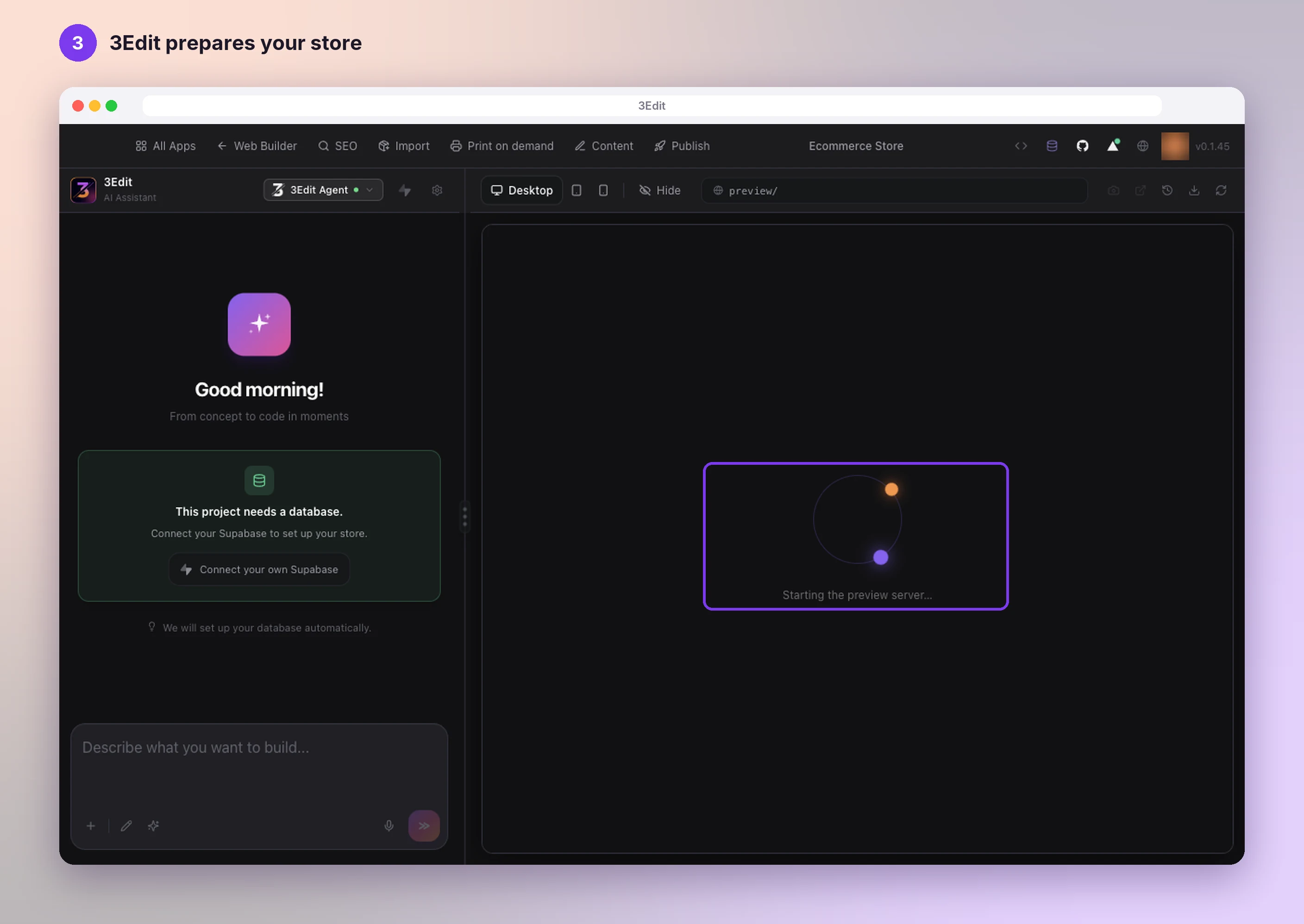
Your store opens in the editor right away. The preview shows Preparing dependencies (first time only)… and then Starting the preview server…. This first start takes a few minutes and happens only once, so it’s a nice moment for a cup of tea.
If the preview ever shows Let’s finish preparing this project, press Try again and it carries on.
Your store is ready
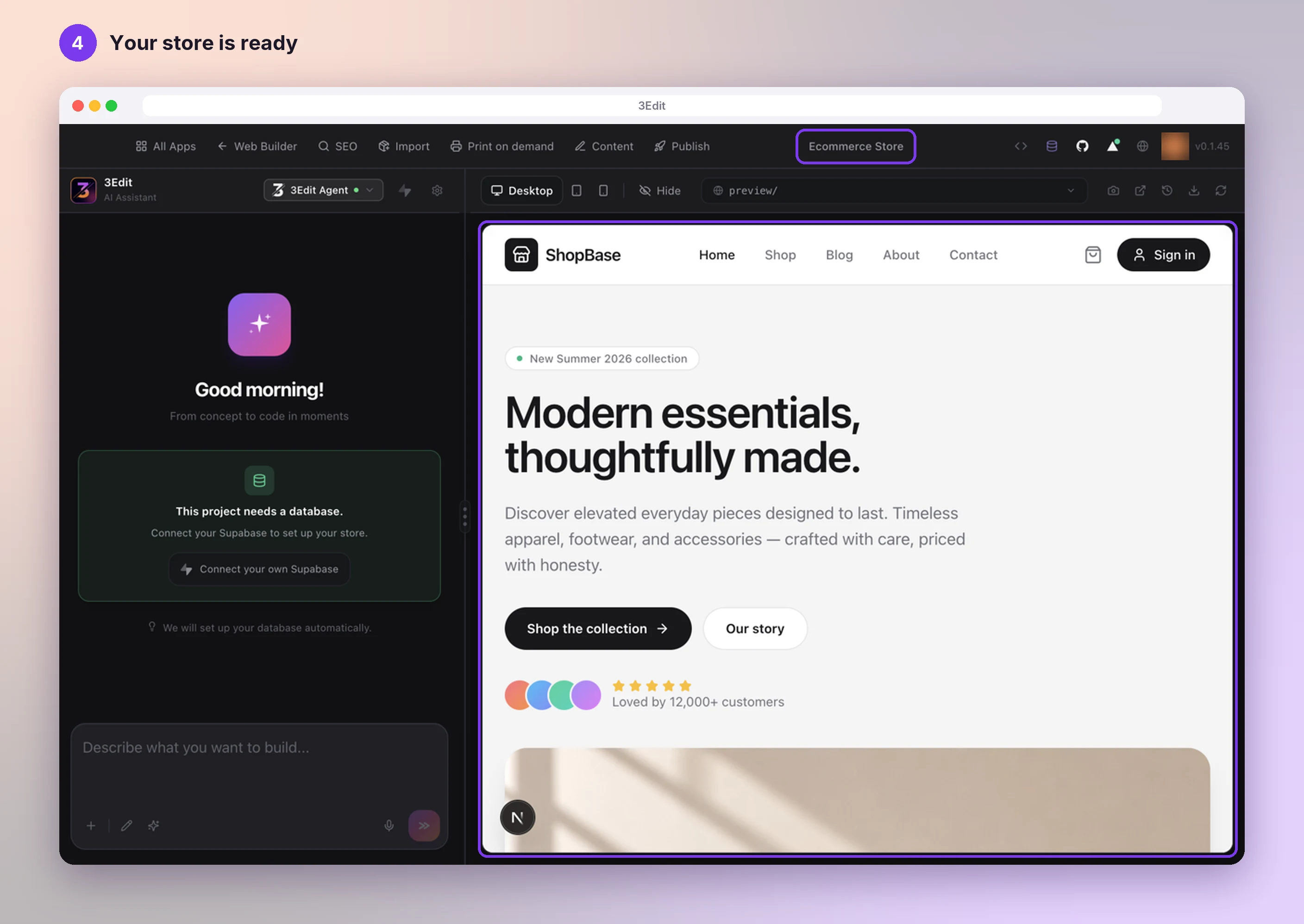
Your store’s home page appears in the preview, with its shop, blog, about and contact pages, cart, checkout and customer accounts already built.
Your new project is called “Ecommerce Store”. To give it your shop’s name, click the name in the top bar. The chat on the left is where you ask 3Edit for any change you like, in your own words.
Next: give your store its database
Your store keeps its products, orders and customer accounts in a database of its own. Create your free Supabase account and connect it in a few clicks: see Create and connect your Supabase account.
Helpful links
Next: Create and connect your Supabase account.
- Create and connect your Supabase accountTwo short parts with screenshots: create your free Supabase account and organisation, then connect it to your store. 3Edit creates the database and all its tables for you.Next guide
- Create your 3Edit accountCreate your 3Edit account on 3edit.com: it starts with a 7-day free trial. Confirm your email and sign in to the desktop app, and you are ready to build your store.Read the guide
- Set up your print on demand store, step by stepThe hands-on setup tutorial: nine steps with screenshots, from your 3Edit account to Printful, your first product and your live store.Read the guide
Start vibe coding today.
Download 3Edit for Mac or Windows and build your first professional website in minutes.