 EDIT
EDIT Guide 8 of 9
Create products with the Print on demand app.
Pick a product, describe your idea and let the AI assistant design it with you. See it on real mockups, set your price and list it in your shop in one click.
About 5 minutes per productLast updated
On this page
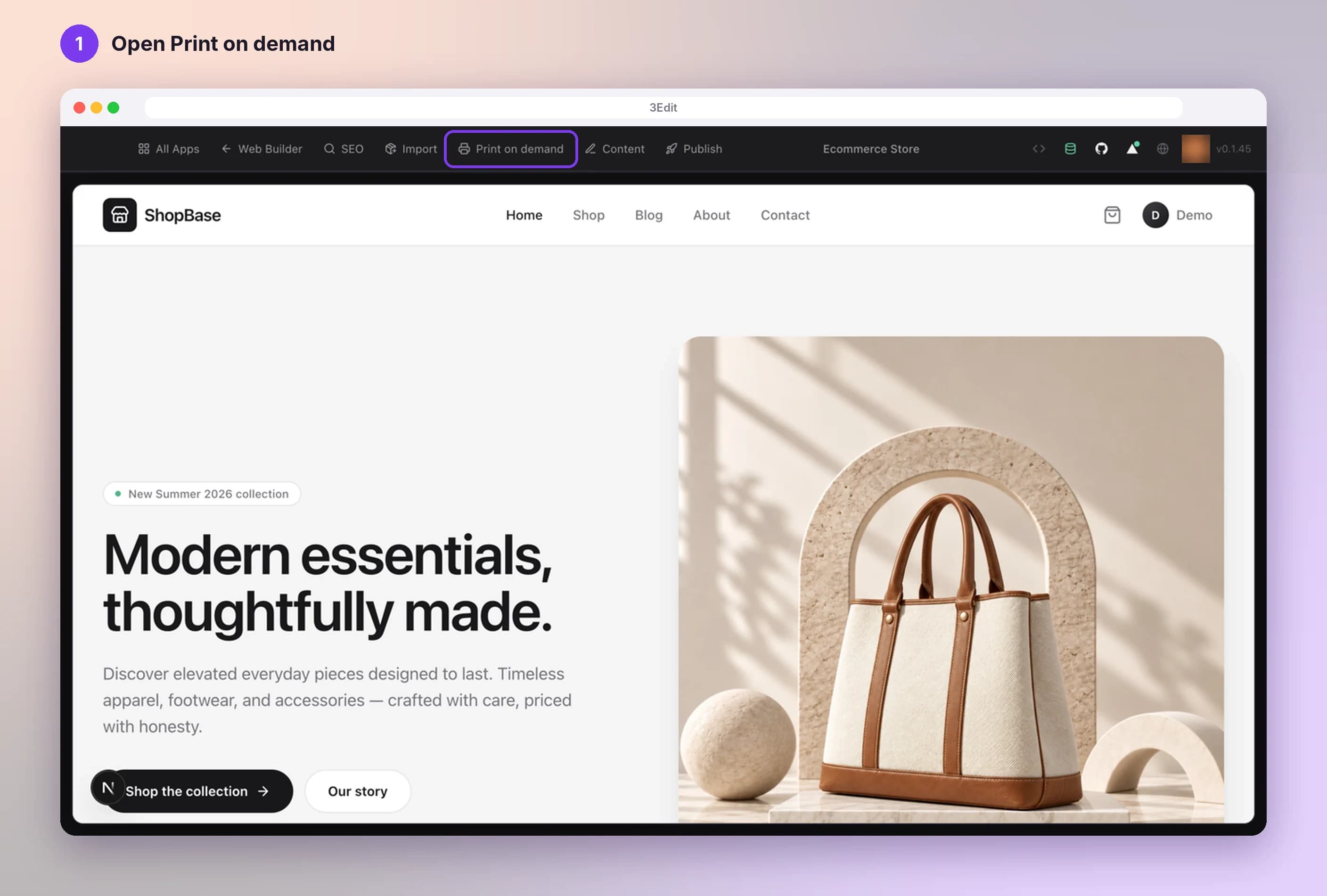
Open Print on demand
In your store’s editor, press Print on demand in the top bar. It appears on stores made from the Ecommerce starter kit once Printful is connected.
Choose what to sell
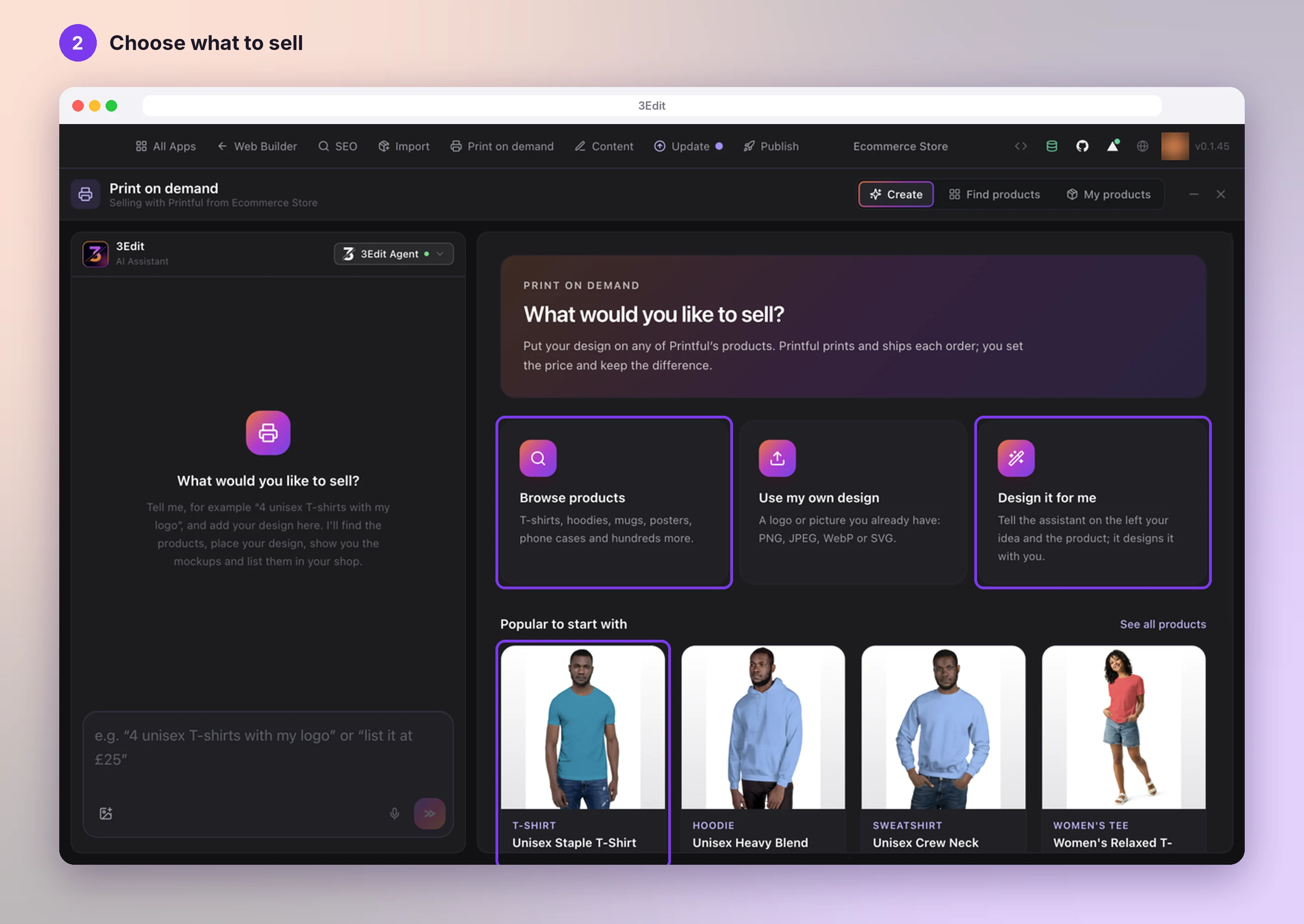
On What would you like to sell?, pick a product from Popular to start with, or press Browse products for Printful’s whole range: T-shirts, hoodies, mugs, posters and much more. You can also start with Use my own design or Design it for me.
Choose Design it for me
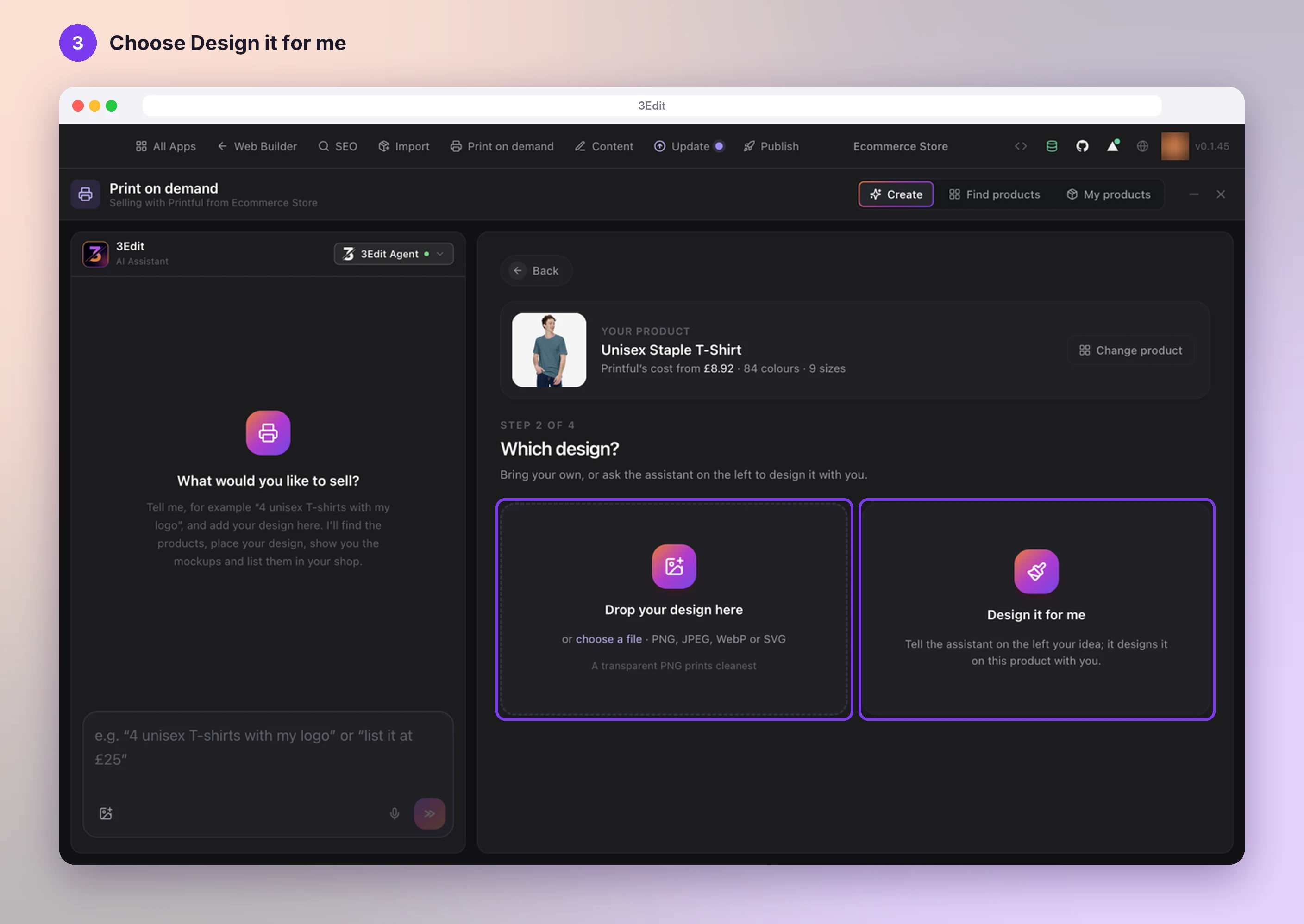
On Which design?, press Design it for me to design with the assistant. No design skills needed.
Have your own artwork? Use Drop your design here instead: PNG, JPEG, WebP or SVG, and a transparent PNG prints cleanest.
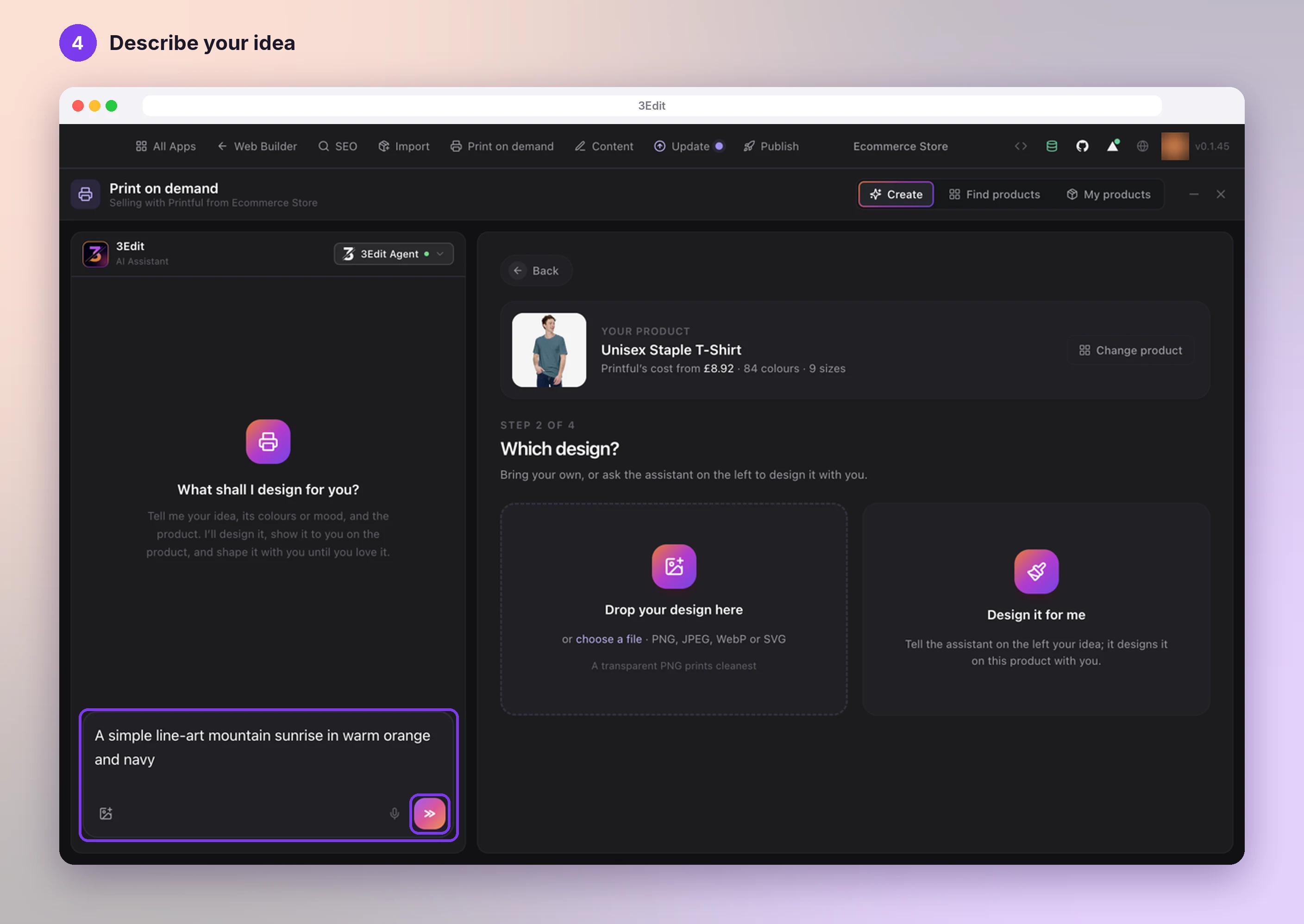
Describe your idea
The assistant asks What shall I design for you?. Type your idea, with its colours or mood, and press send. For example: “A simple line-art mountain sunrise in warm orange and navy”.
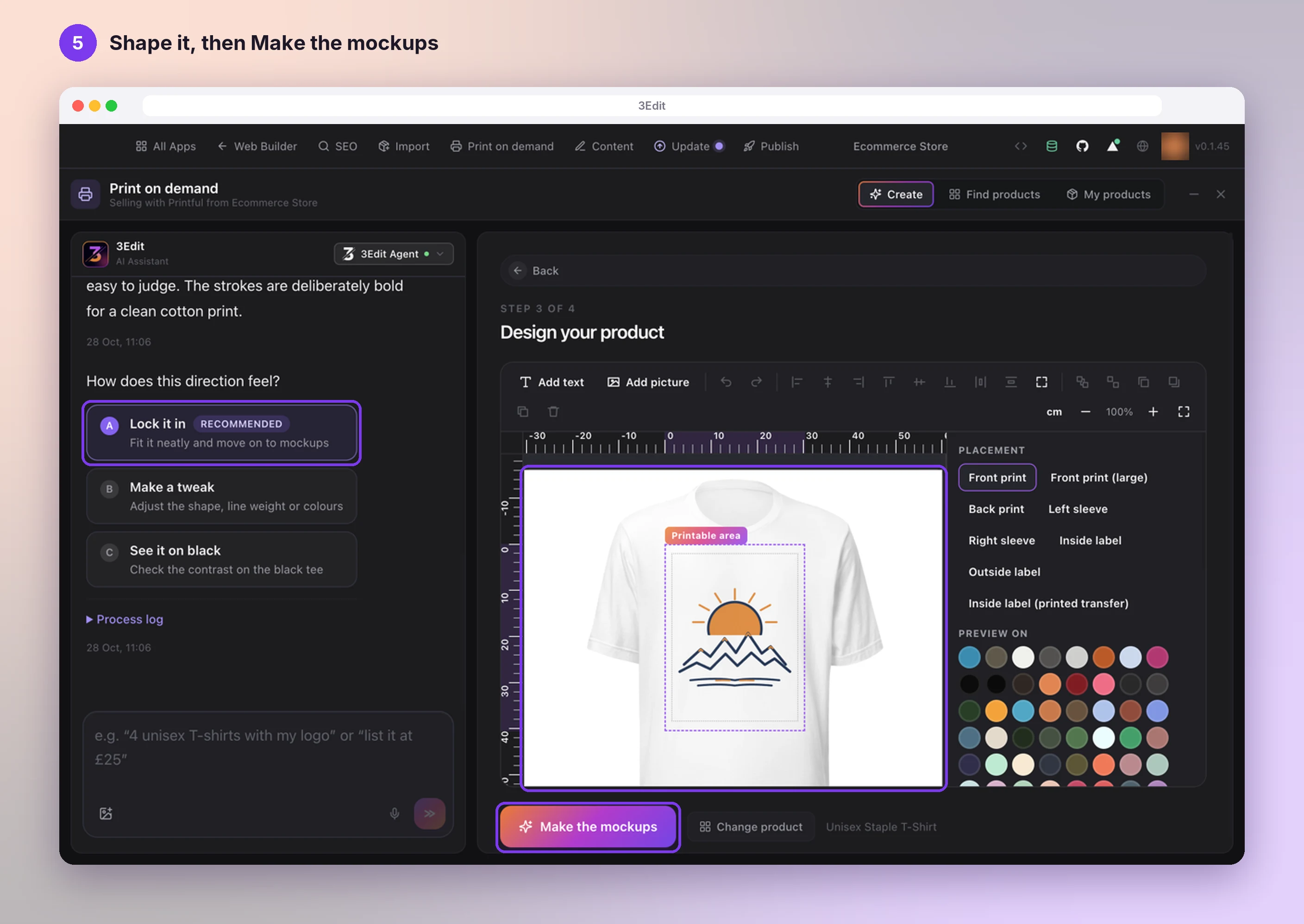
Shape the design with the assistant
Your design appears on the product in Design your product. Choose Lock it in when you love it, Make a tweak to change it, or See it on black to check it on a dark colour.
Move or resize it inside the printable area, add words with Add text, then press Make the mockups.
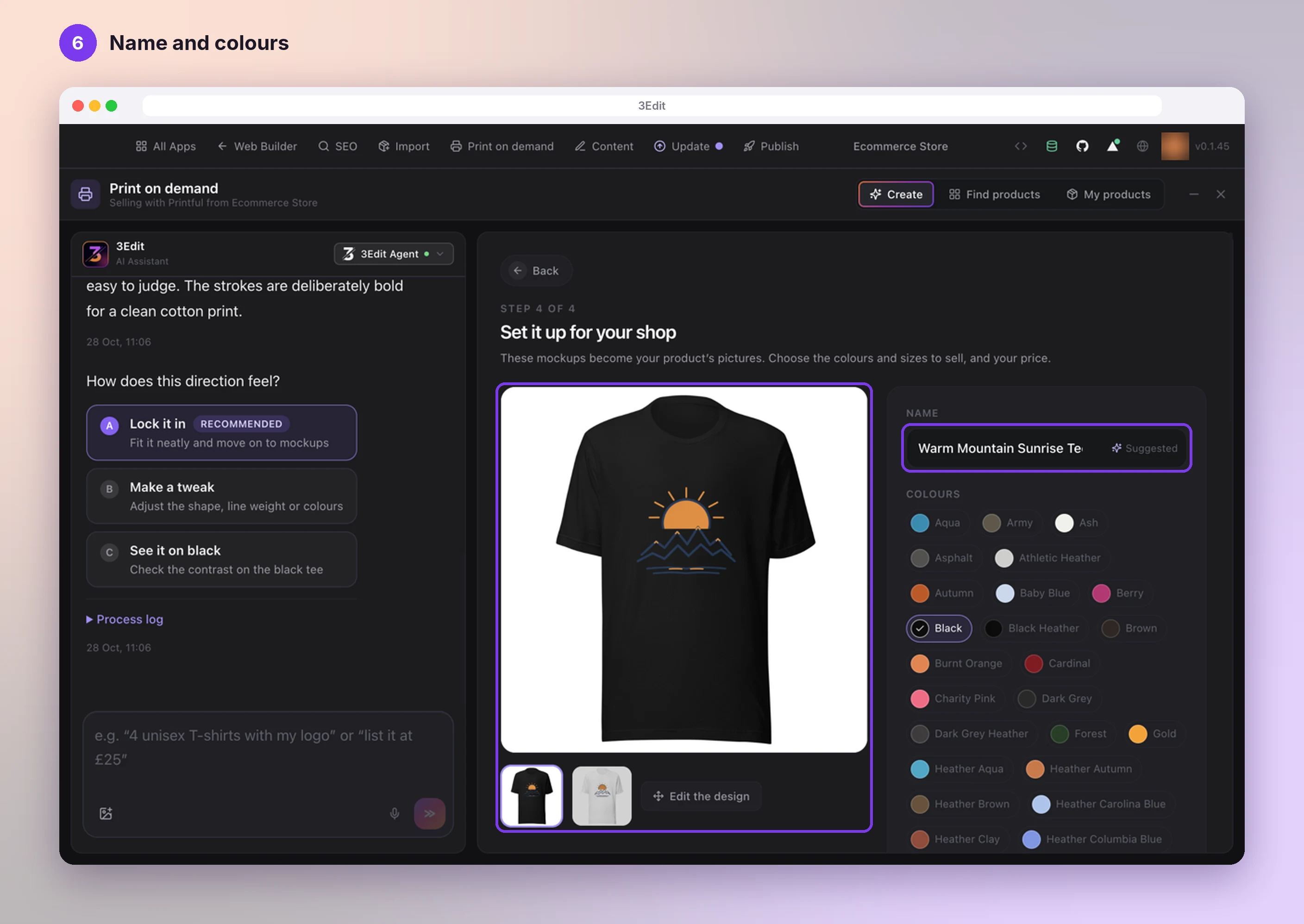
Name it and choose colours
The mockups become your product’s pictures. Check the suggested Name, change it if you like, and choose the Colours to sell.
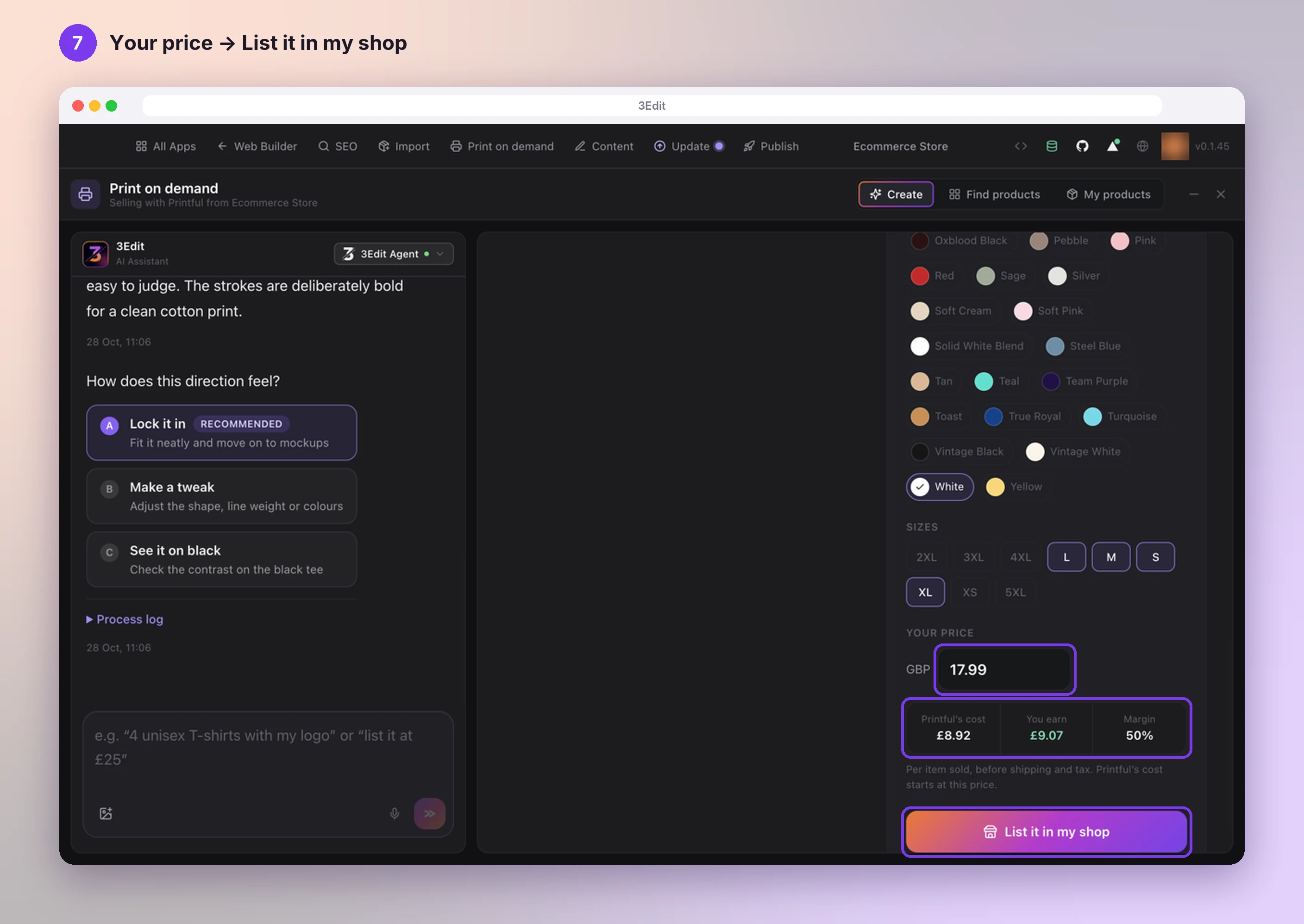
Set your price and list it
Pick your Sizes and enter Your price. 3Edit shows Printful’s cost, what you earn and your margin for each item sold, so you can see what you earn before you list it. Then press List it in my shop.
3Edit lists your product
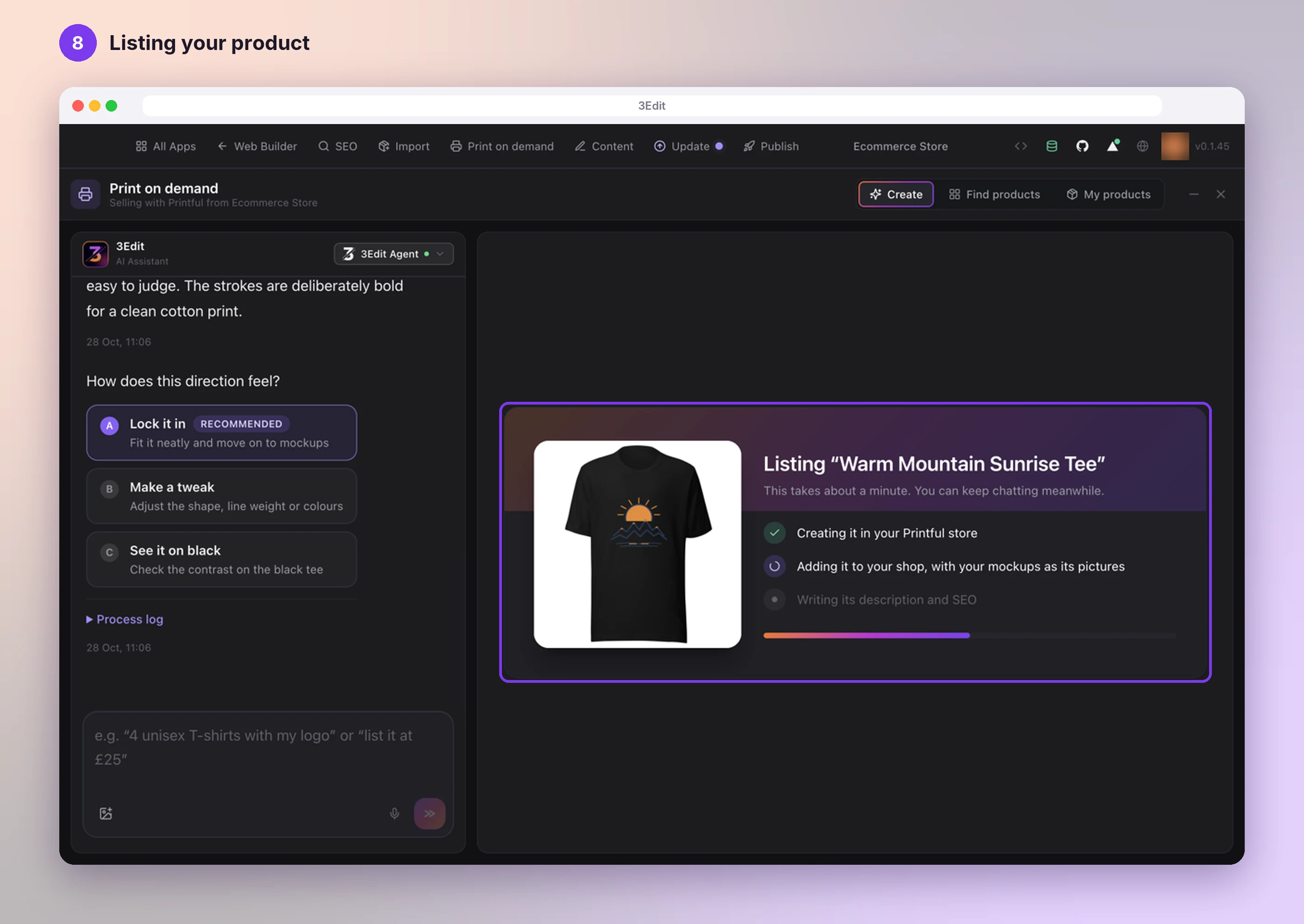
3Edit creates the product in your Printful store, adds it to your shop with your mockups as its pictures, and writes its description and SEO. It takes about a minute, and you can keep chatting meanwhile.
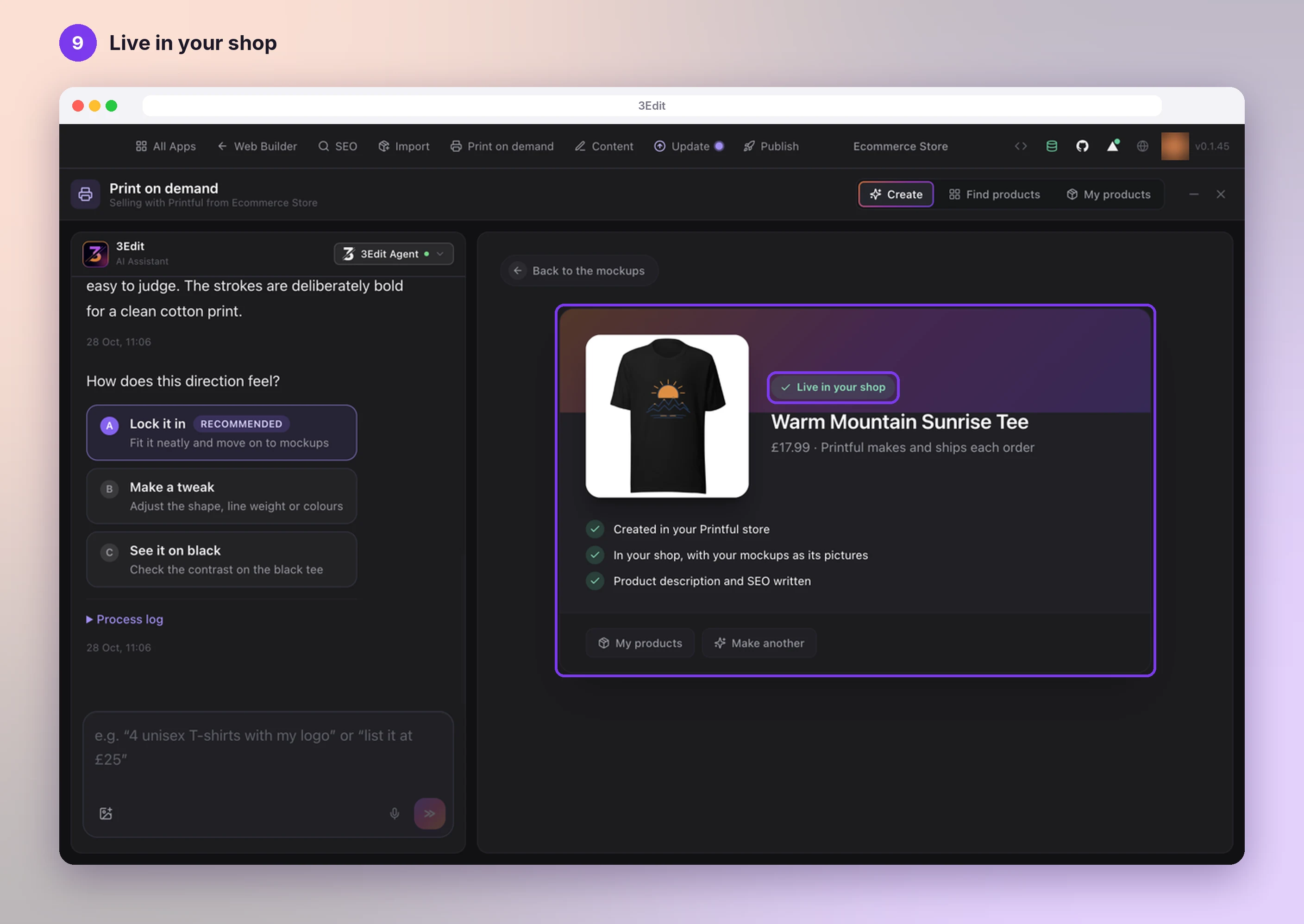
Live in your shop
You see Live in your shop with your price and the note that Printful makes and ships each order. Press Make another for your next product, or My products to see them all.
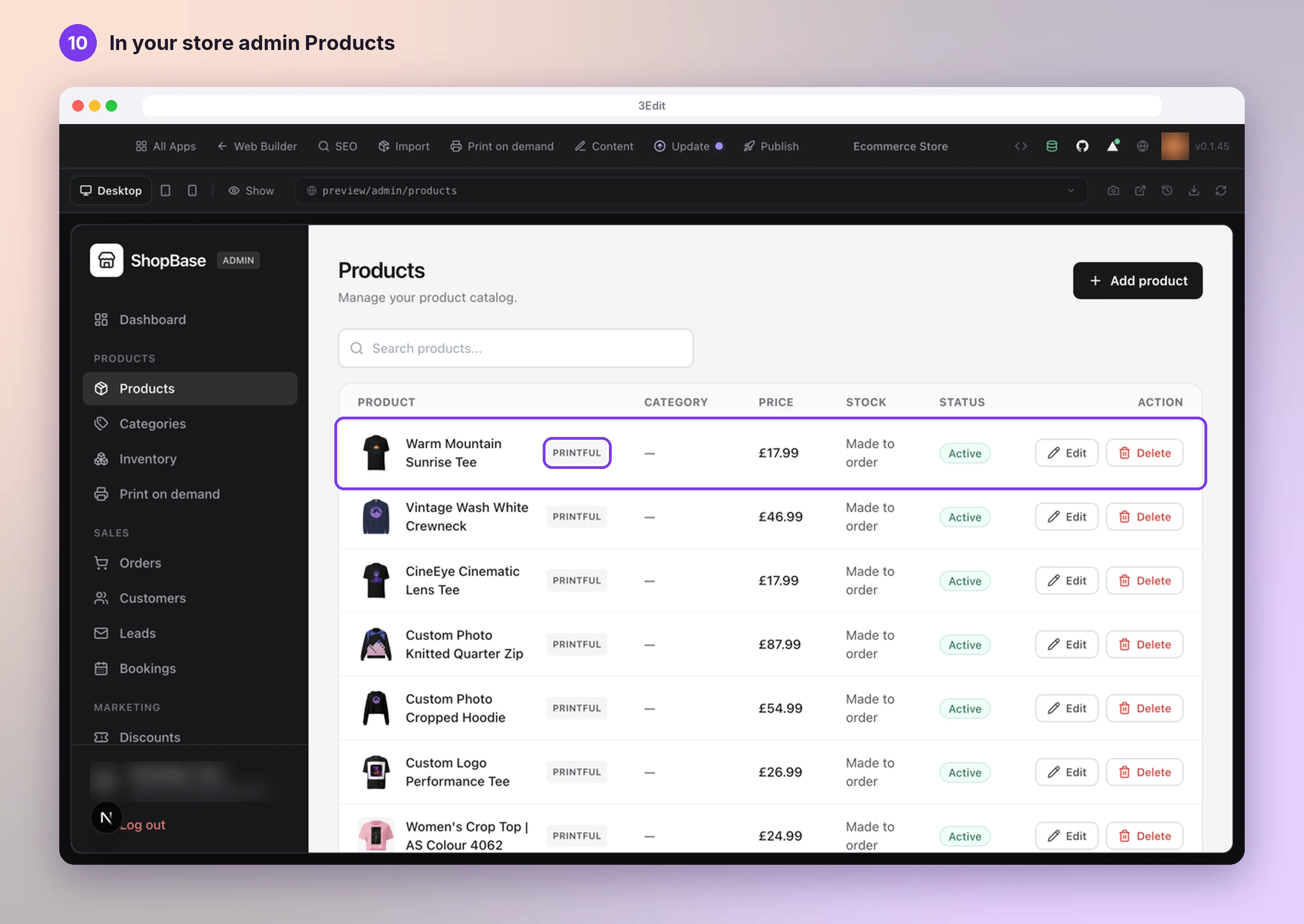
See it in your store
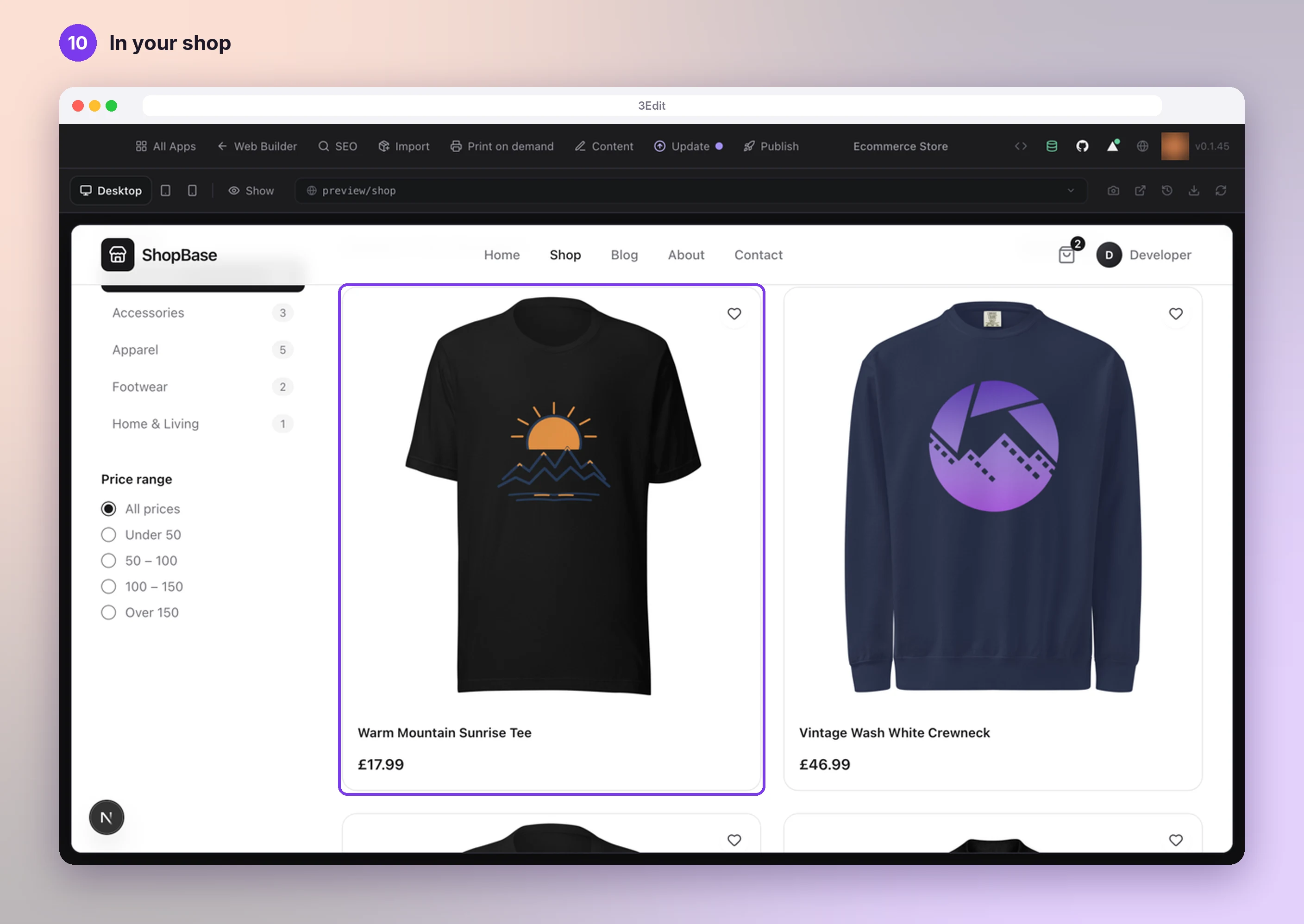
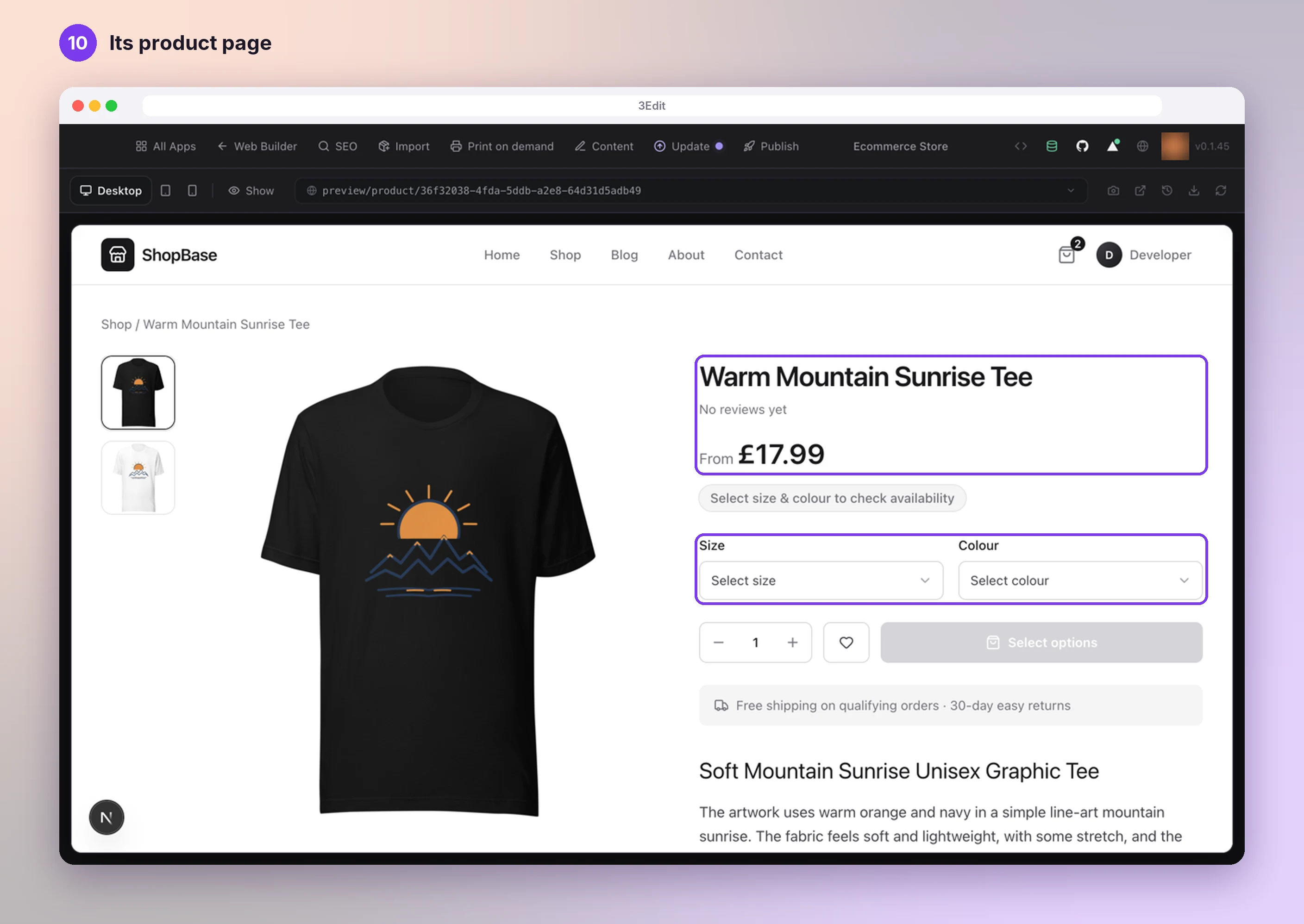
Your product is in your store admin’s Products list with the PRINTFUL tag and Made to order. It is also on your shop and on its own product page, with its sizes, colours and description.
Credits
- 3Edit always shows the credits a design will use before anything is made.
- Designs made with 3Edit Image use 1 credit each, and the assistant can also draw simple artwork itself at no credit cost.
- Printful’s mockups are free.
- Writing the description and SEO uses about 1 credit with the 3Edit Agent.
Next: Publish your store.
- Publish your storePublish your store on 3Edit Cloud or your own Vercel in about a minute, then finish payments, emails and Printful on your live store.Next guide
- Connect PrintfulSell T-shirts, hoodies, mugs and more without holding any stock. Printful prints and ships every order, and 3Edit connects your store to it in about five minutes.Read the guide
- Set up your print on demand store, step by stepThe hands-on setup tutorial: nine steps with screenshots, from your 3Edit account to Printful, your first product and your live store.Read the guide
Start vibe coding today.
Download 3Edit for Mac or Windows and build your first professional website in minutes.