 EDIT
EDIT Guide 4 of 9
Open your store admin.
The first account created on your store becomes its admin. Create yours in the store preview, sign in, and add more admins whenever you like by asking the chat.
About 2 minutesLast updated
On this page
Open your store preview
In 3Edit, open your store. The preview shows it just as your customers will see it, and it already has its own sign-in and accounts, ready for you.
Press Sign in
In your store’s preview, press Sign in at the top right. Your store’s Welcome back page opens. New here? Press Create one under the form.
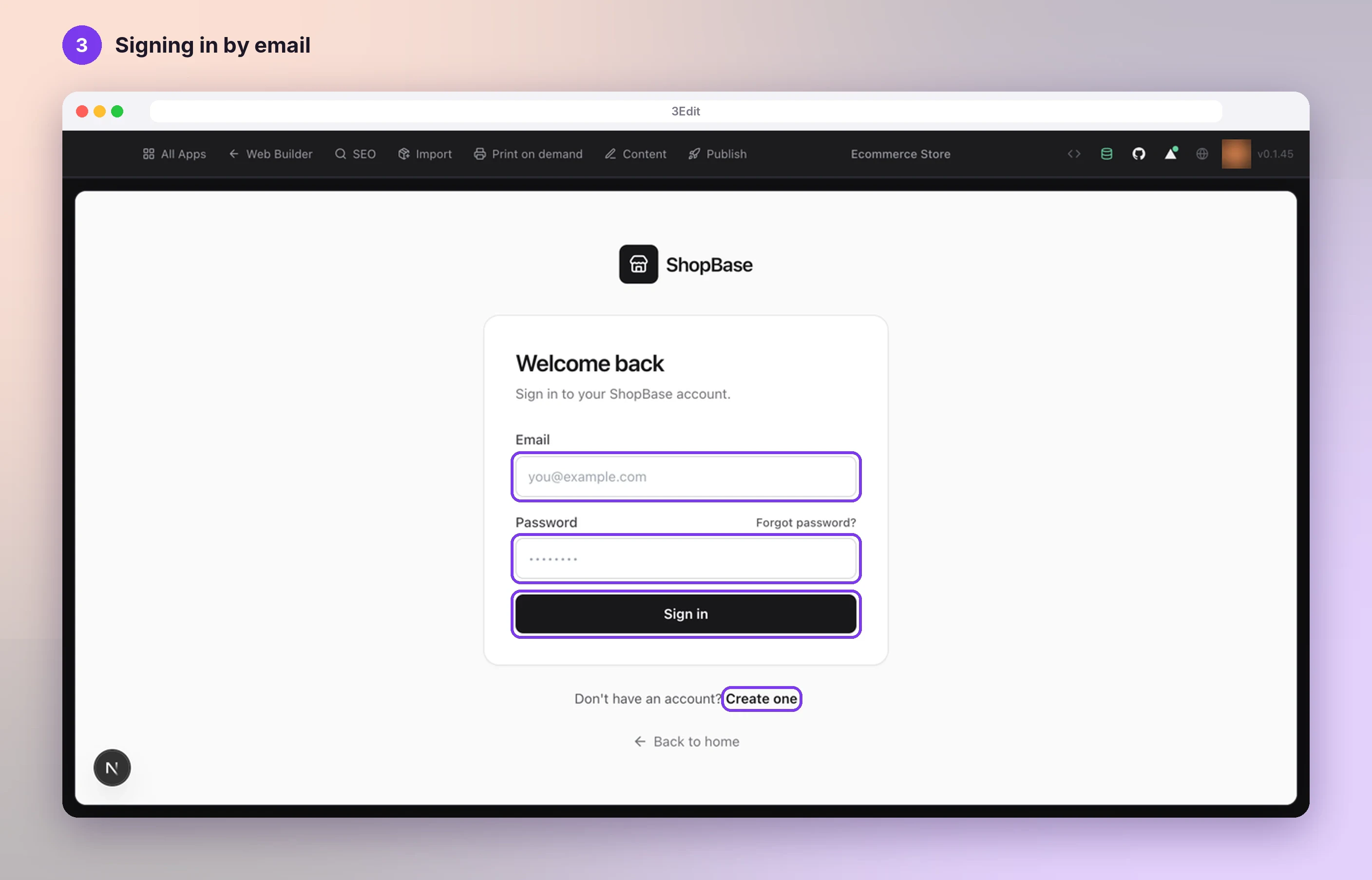
Create your account: the first one becomes admin
Create your account with your email address and a password. The first account created on a store becomes its admin, so this one is yours. Everyone who signs up after you becomes a customer.
Sign in and open your store admin
Sign in with your new account, then open your store’s admin pages: /admin after your store’s address. Your Dashboard opens, with Products, Sales, Marketing, Content and Settings in the sidebar.
Want more room? Press Hide above the preview to tuck the chat away, and Show to bring it back.
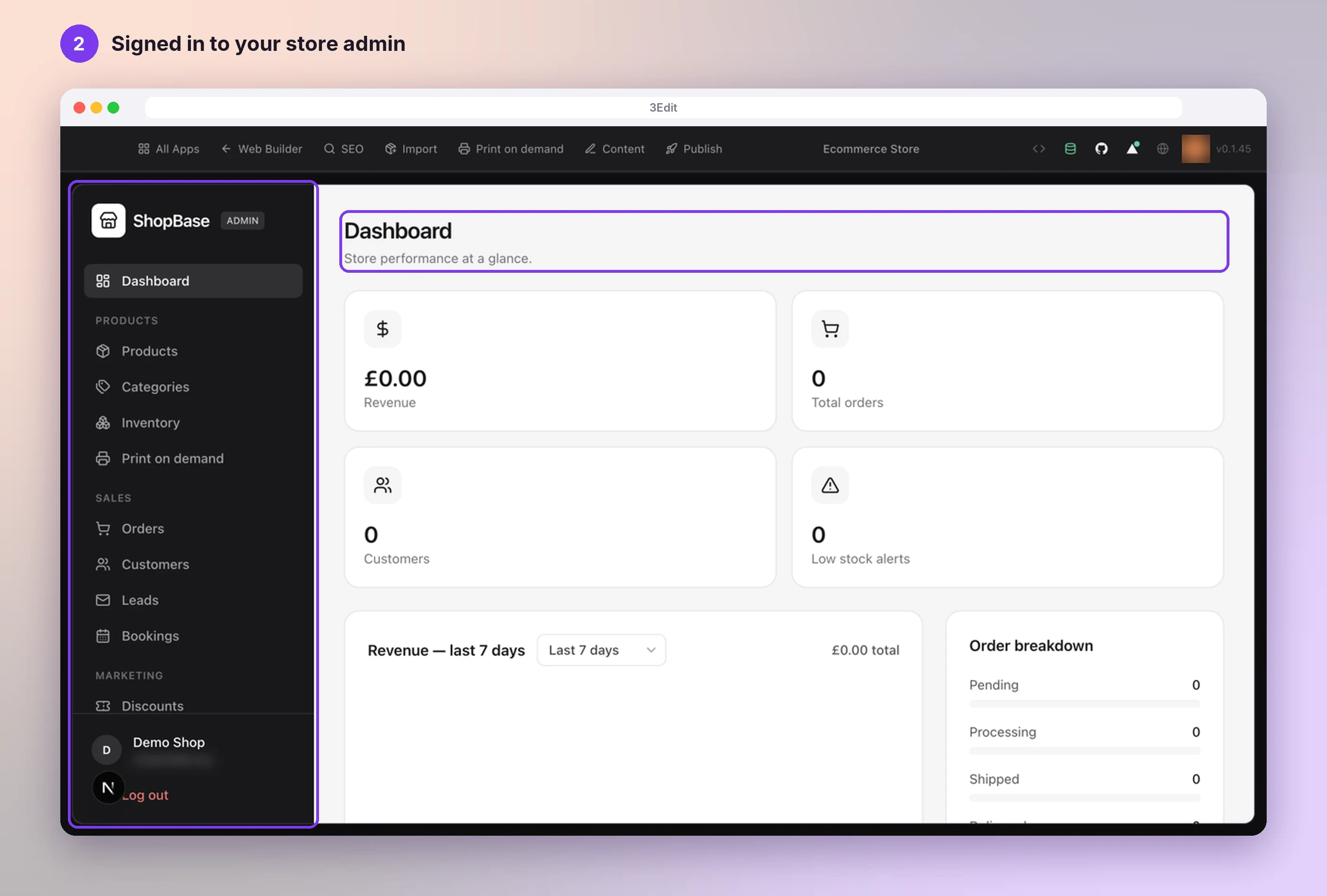
Add or remove admins by asking the chat
To add a team member, or to hand the store over to a client, ask your store’s chat in 3Edit, for example: Make their-email@example.com an admin. An admin can be removed the same way: Remove their-email@example.com as an admin.
All admins have the same full rights, so it stays simple.
Good to know
- Create your account before you publish. The first account created on your store becomes its admin, so make sure it is yours.
- All admins have the same full rights over the store: products, orders, customers, content and settings.
- Your customers and team sign in on the same Welcome back page. Forgot a password? Forgot password? emails a link to choose a new one.
Helpful links
Next: Set up payments with Stripe.
- Set up payments with StripeChoose your currency, paste your two Stripe keys and you are ready to take card payments. 3Edit sets up the rest when you publish.Next guide
- Create and connect your Supabase accountTwo short parts with screenshots: create your free Supabase account and organisation, then connect it to your store. 3Edit creates the database and all its tables for you.Read the guide
- Set up your print on demand store, step by stepThe hands-on setup tutorial: nine steps with screenshots, from your 3Edit account to Printful, your first product and your live store.Read the guide
Start vibe coding today.
Download 3Edit for Mac or Windows and build your first professional website in minutes.