 EDIT
EDIT Guide 5 of 9
Set up payments with Stripe.
Choose your currency, paste your two Stripe keys and you are ready to take card payments. 3Edit sets up the rest when you publish.
About 5 minutesLast updated
On this page
Before you start
Your store takes card payments with Stripe. Your customers pay on Stripe’s secure payment page, which can show your own logo and colours.
Create a Stripe account if you don’t have one yet, then find your two API keys under Developers → API keys in your Stripe Dashboard.
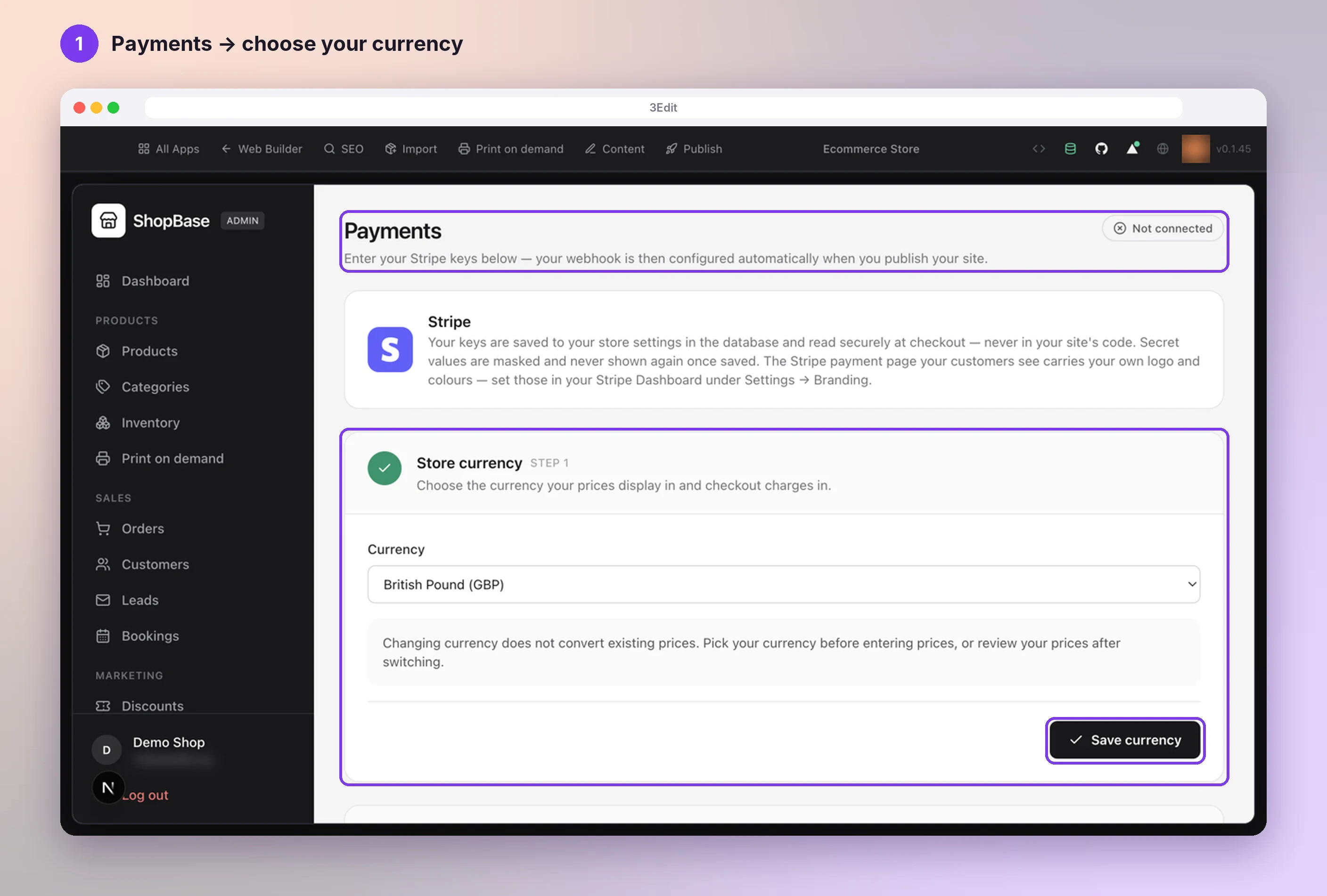
Open Payments and choose your currency
Open your store admin and choose Payments in the sidebar, under Settings. On Store currency, choose your Currency and press Save currency.
Pick your currency before you enter your prices, because changing it later does not convert prices you already have.
Paste your Stripe keys
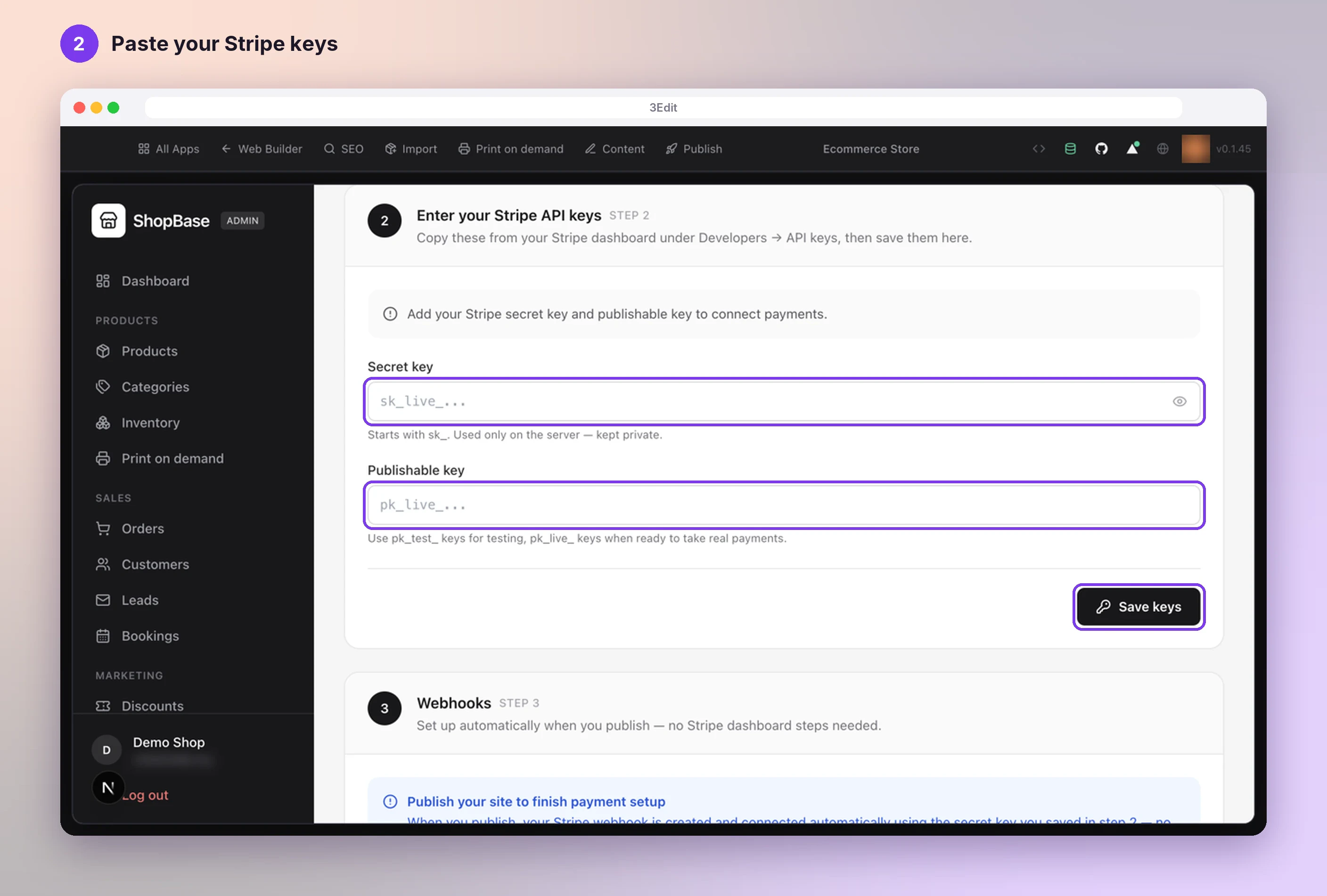
On Enter your Stripe API keys:
- paste your Secret key (it starts with sk_);
- paste your Publishable key (it starts with pk_);
- press Save keys.
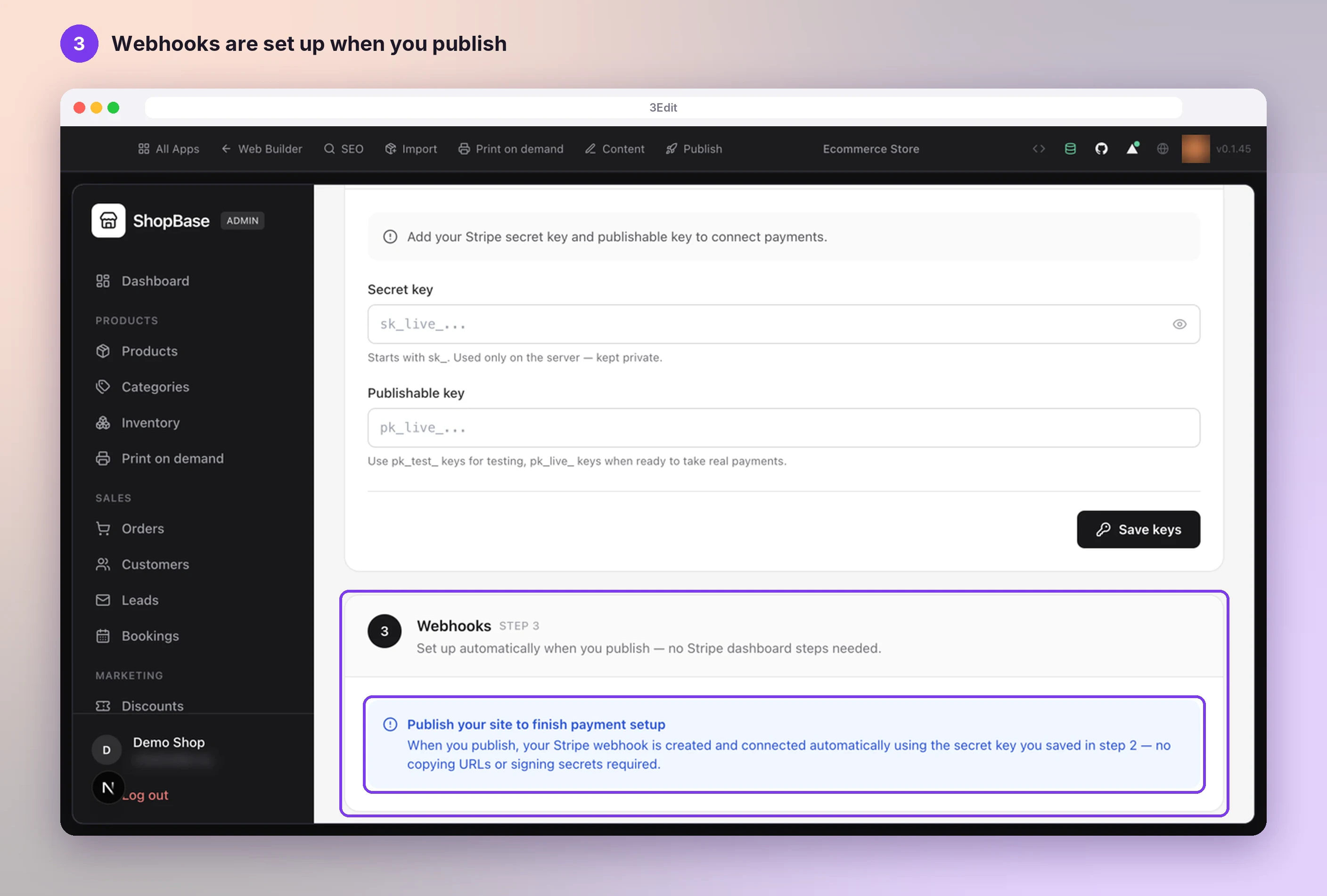
Webhooks are done for you
You see Stripe keys saved. Payments are connected. and the Connected badge. Your keys are kept in your store’s database and never shown again.
The last step, Webhooks, is set up automatically when you publish, with no Stripe dashboard steps needed: 3Edit creates your Stripe webhook with the secret key you saved.
Test first, then go live
- Start with Stripe’s test keys (pk_test_ and sk_test_) and place a test order with Stripe’s test cards: see Stripe: testing.
- When you are ready for real payments, paste your live keys (pk_live_ and sk_live_) and press Save keys again.
- To show your logo and colours on Stripe’s payment page, see Stripe: branding.
Next: Set up your store emails.
- Set up your store emailsYour store sends order confirmations, shipping updates and your own new-order alerts. Set them up with Resend, or with your own email server.Next guide
- Open your store adminThe first account created on your store becomes its admin. Create yours in the store preview, sign in, and add more admins whenever you like by asking the chat.Read the guide
- Set up your print on demand store, step by stepThe hands-on setup tutorial: nine steps with screenshots, from your 3Edit account to Printful, your first product and your live store.Read the guide
Start vibe coding today.
Download 3Edit for Mac or Windows and build your first professional website in minutes.