 EDIT
 Lesson 18 · Practice projects
Project: build a booking app
A booking form and a private owner area, built in about 45 minutes.
Follow a real build from our test run: a website for a practice cleaning company where visitors request a clean and only the owner sees the requests. It took about 45 minutes, including about 15 minutes of fixing, and 5 credits.
About 8 minutes to readLast updated
On this page
The project: Sparkle Cleaning
Sparkle Cleaning is a practice business, made up for this lesson: a home cleaning company in East London. Visitors should be able to request a clean, and the owner should see every request in a private list and mark each one Confirmed or Done.
It’s the database project from lesson 7, built for real in 3Edit on 19 November 2026 with a test account. It took about 45 minutes in total, including about 15 minutes of fixing, and used 5 credits.
Connect your database first
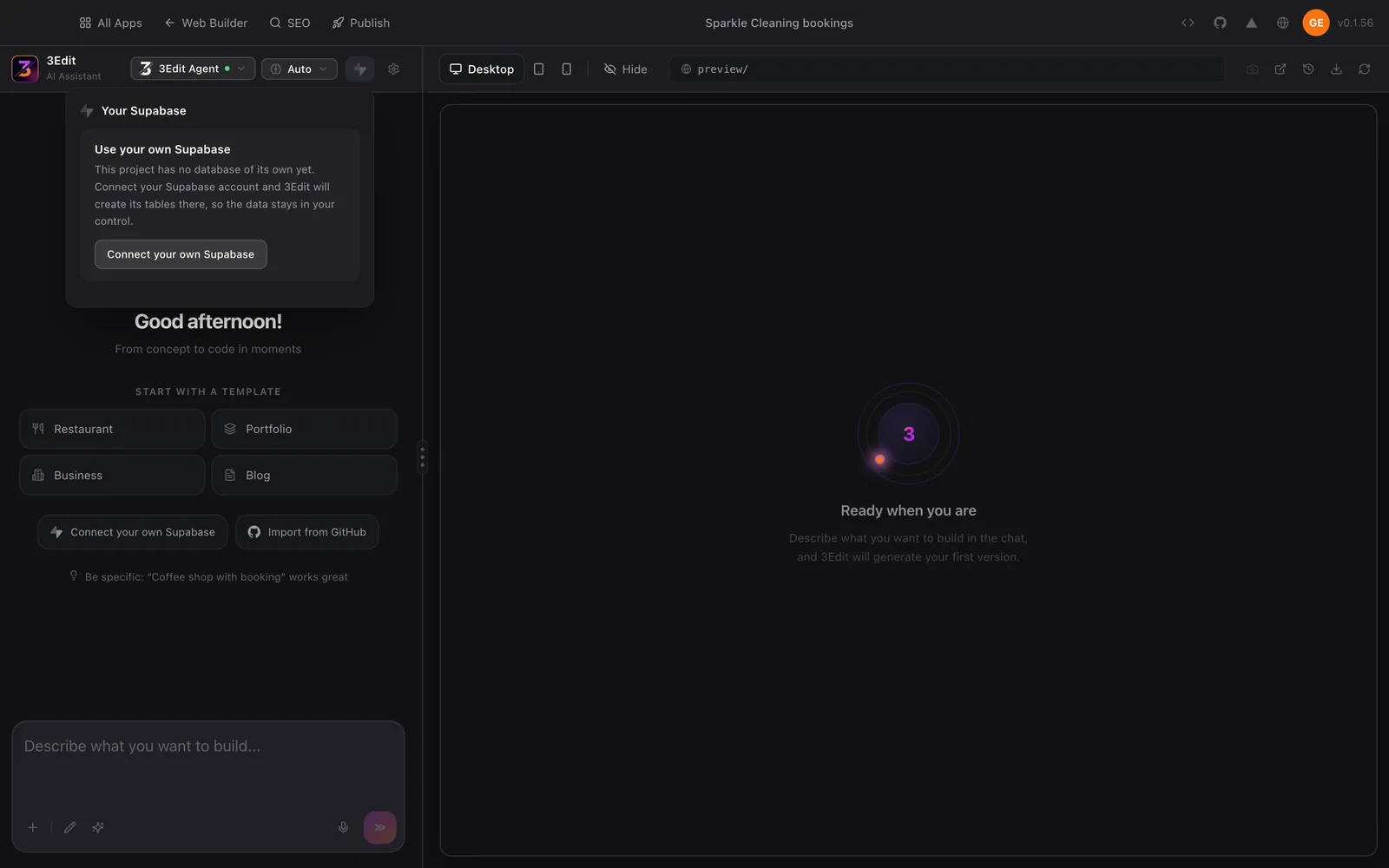
Booking requests have to be saved somewhere, so before the first prompt we connected our own Supabase. A new project shows it plainly: the project has no database of its own yet, and once you connect your Supabase account, 3Edit creates the tables there, so the data stays in your control. The connect guide shows every click.
Connecting first means the AI builds the booking form properly from the start, with somewhere real to save each request, rather than a form that only looks right in the preview.
Three prompts, in order
We used the three practice prompts from lesson 7, word for word, one at a time, checking each result before the next.
- Check the planAsk which features need a database and which tables it would create, before anything is built.
- Build the site and the formA hero with a “Book a clean” button, three services with prices, how it works, and a booking form that saves each request with a status of “New”.
- Add the owner’s pageA private page where the owner signs in, sees every request newest first, and marks each one Confirmed or Done.
The owner’s private area
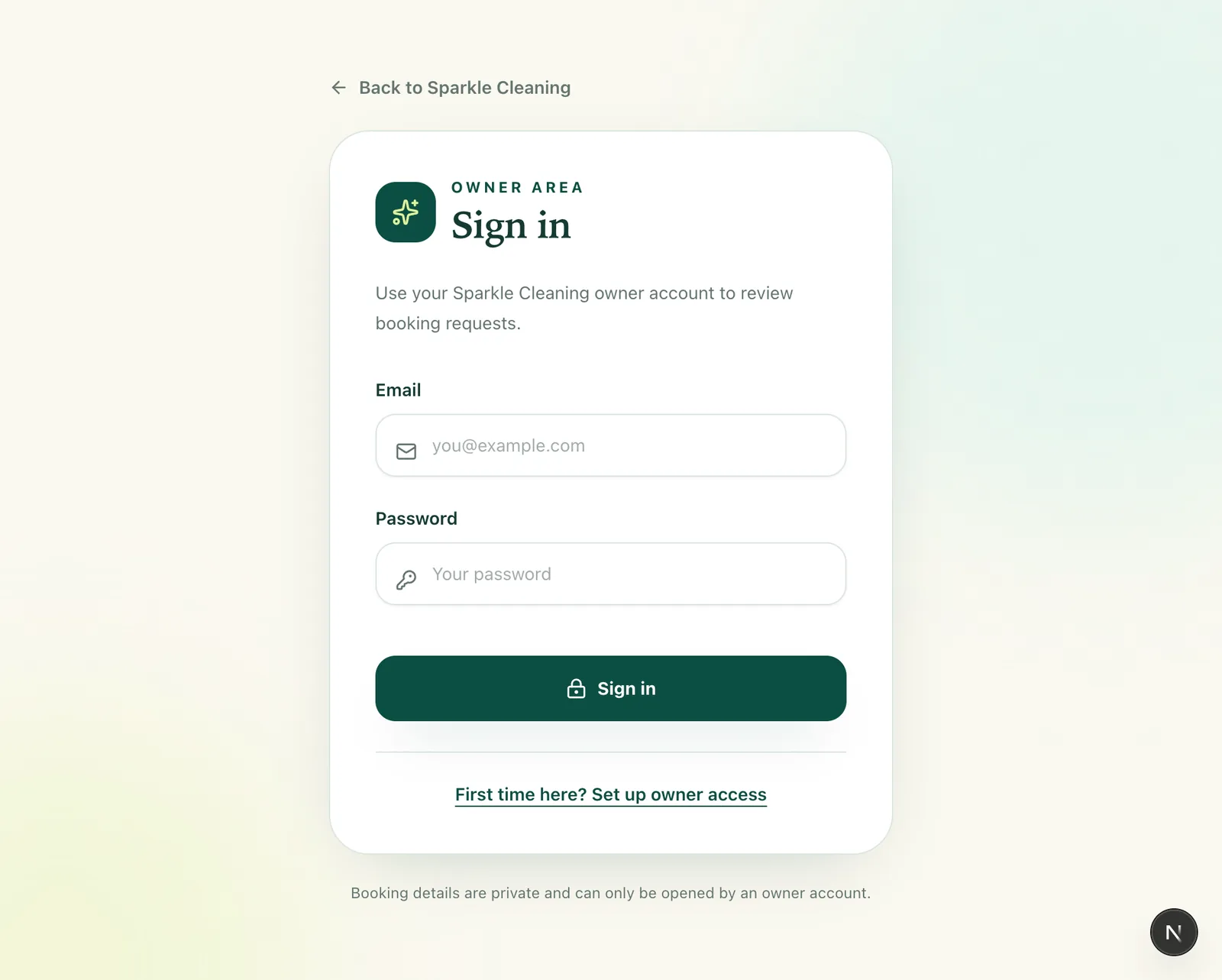
The admin page has its own Owner area sign-in, and the first account created becomes the owner. So set up owner access yourself, straight away, before you share the site with anyone. As the page itself says, booking details are private and can only be opened by an owner account.
When you ask for a private page, ask for the rule as well as the screen: “Only I should be able to see this page and these bookings.” Then test it, because a hidden link alone protects nothing. Lesson 9 explains why the rules belong next to the data.
The owner’s booking desk
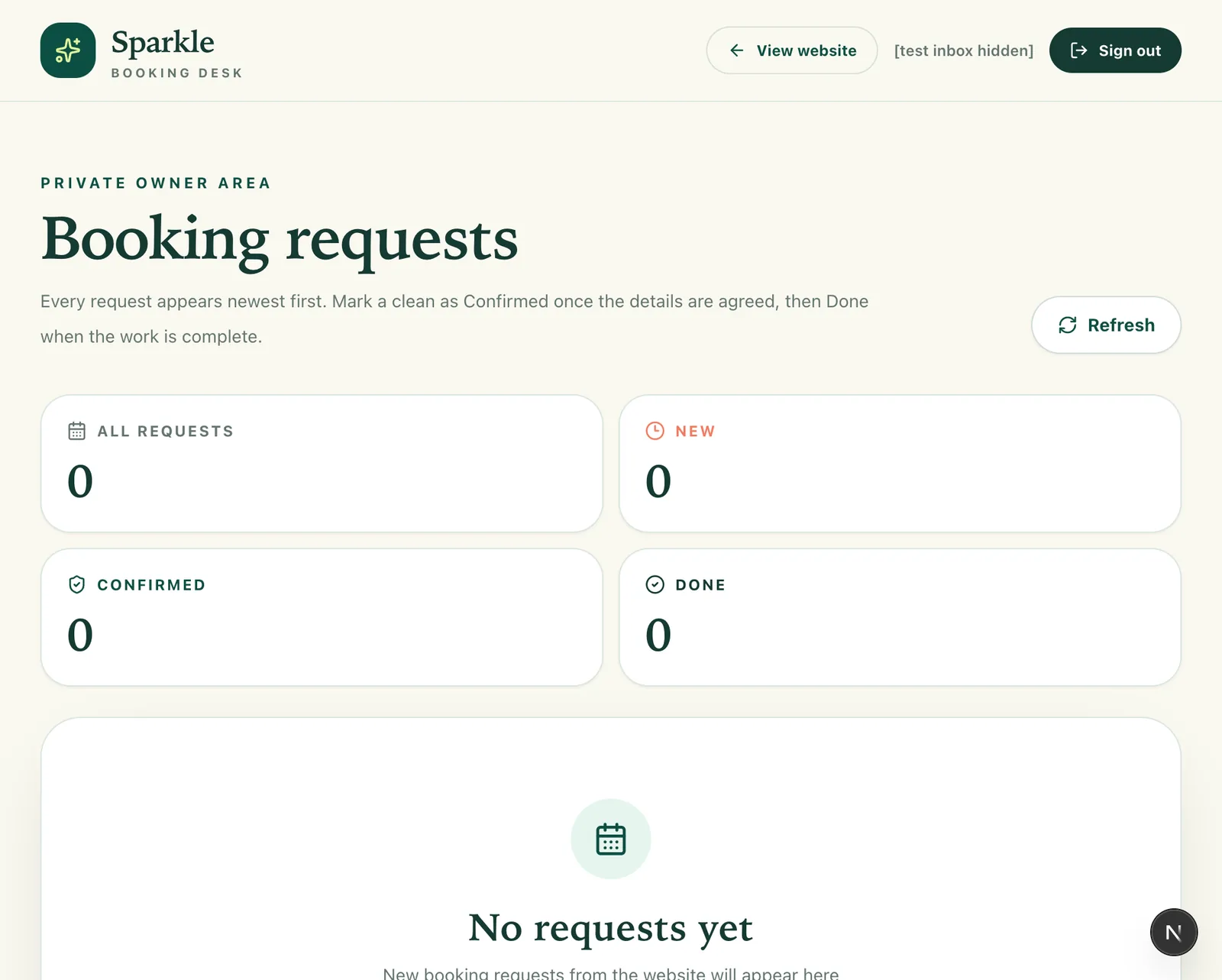
Signed in as the owner, the admin page opened as Sparkle’s booking desk: every request newest first, counts for all requests, new, confirmed and done, and a Refresh button. The owner test worked: the owner could sign in and open the private area.
This is the heart of a booking app. The public site collects requests; the private desk is where the business actually runs.
When something doesn’t work: 15 minutes of fixing
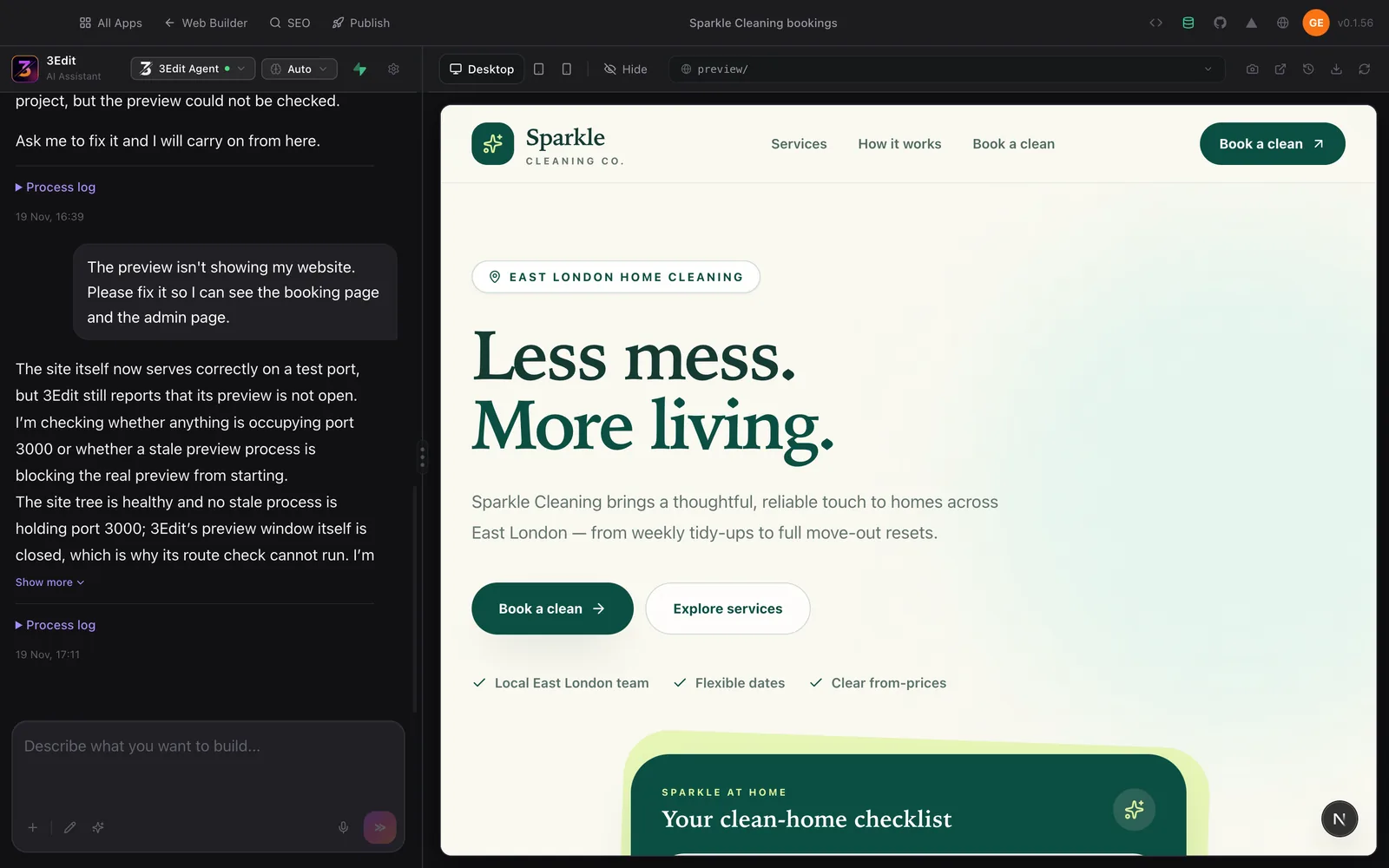
Not every step went right first time. After the admin page prompt, the agent reported that it had made the change but the preview could not be checked, and the preview stayed empty. We described what we saw in one plain sentence: “The preview isn’t showing my website. Please fix it so I can see the booking page and the admin page.” The agent worked through it, and the site came back. Fixing took about 15 of the 45 minutes.
- Say what you see, not what you guess: “the preview is empty” is more useful than a theory about why.
- One problem per message: fix it, check it, then move on.
- Check before the next feature: never build on top of something you haven’t seen working.
- If it keeps failing: the stuck in a loop guide shows how to get moving again.
Test it as each kind of user
- As a visitor: send two booking requests with different details.
- As the owner: sign in, check both requests are there, and mark one Confirmed.
- Signed out: open the admin page in a private window. It should ask you to sign in and show no bookings.
- On a phone: fill in the whole form at phone size. The testing guide has the full checklist.
Try it in 3Edit.
Build your own version with the three prompts in lesson 7, with your Supabase connected first. Then take it further with these, one at a time.
The businesses in these prompts are fictional practice examples. When you build for a real business, only ever show real reviews from real customers: invented reviews mislead customers and are against UK consumer law.
- 1A clear thank-you
After a visitor sends a booking request, show a clear thank-you message that repeats the service and preferred date they chose, and says Sparkle Cleaning will reply by email or phone.
- 2Private notes for the owner
On the owner’s booking page, let me add a short private note to each request, such as “Bring extra cloths”. Only the owner can see or change these notes, checked in the database.
- 3Explain the privacy
Explain in plain words how this site keeps booking requests private: which rule stops a visitor from reading other people’s requests, and where that rule is checked. Don’t change anything.
Then test it again as a visitor, as the owner and signed out, as in the section above. Every new feature gets the same three checks.
Do it step by step.
This lesson explains the what, the why and the when. These guides and pages show every click.
- Connect Supabase to 3EditYour booking app’s database, logins and access rules live in your own Supabase.Read the guide
- Test a vibe-coded app before launchPages, forms, sign-up, real phones and the production build.Read the guide
- When the AI gets stuck in a loopWhat to do when the same fix keeps failing.Read the guide
Words in this lesson
Next: Project: an online store
About the author.
Written by Humayun Rashed, founder of 3Edit. He also runs 3Edit’s free in-person AI website building and vibe coding course in London.
Questions people ask.
In our test run, a booking website with an owner-only admin page took about 45 minutes in 3Edit, including about 15 minutes of fixing, and used 5 credits.
Yes. Booking requests have to be saved and kept private, so connect your own Supabase before the first prompt that saves anything.
In our build, the first account created became the owner. Set up owner access yourself straight away, then check that the admin page asks everyone else to sign in.
Describe what you see in one plain sentence and ask it to fix that, then check the result before the next feature. If it keeps failing, the stuck in a loop guide shows what to try next.
Start vibe coding today.
Download 3Edit for Mac or Windows and build your first professional website in minutes.